User login
Most API calls need to have an authenticated user.
Datasheet
-
Interactive API and documentation
http://localhost/docs#/Login/login_access_token_api_v1_login_access_token_post
-
Endpoint URL
POSThttp://localhost/api/v1/login/access-token -
URL parameters
None -
Body content
application/x-www-form-urlencodedgrant_type=&username=admin%40superchat.com.br&password=SomeGoodPassword&scope=&client_id=&client_secret=Field Description username Logging in user password User password -
Requires authentication
Yes -
Data to be returned
application/json{ "access_token": "eyJhbGciOiJIUzI1NiIsInR5cCI6IkpXVCJ9.eyJleHAiOjE2MTUyNDgyNTYsInN1YiI6ImNra2xyYjZxaDAwMDAwOHF4dm5sYXh4bzAifQ.Ycn3ZvLqqO8n7E-tkT3n7zCIlmMug93wC1jTqb65QnM", "token_type": "bearer" }
Example
Login as super user
-
Open the authentication window
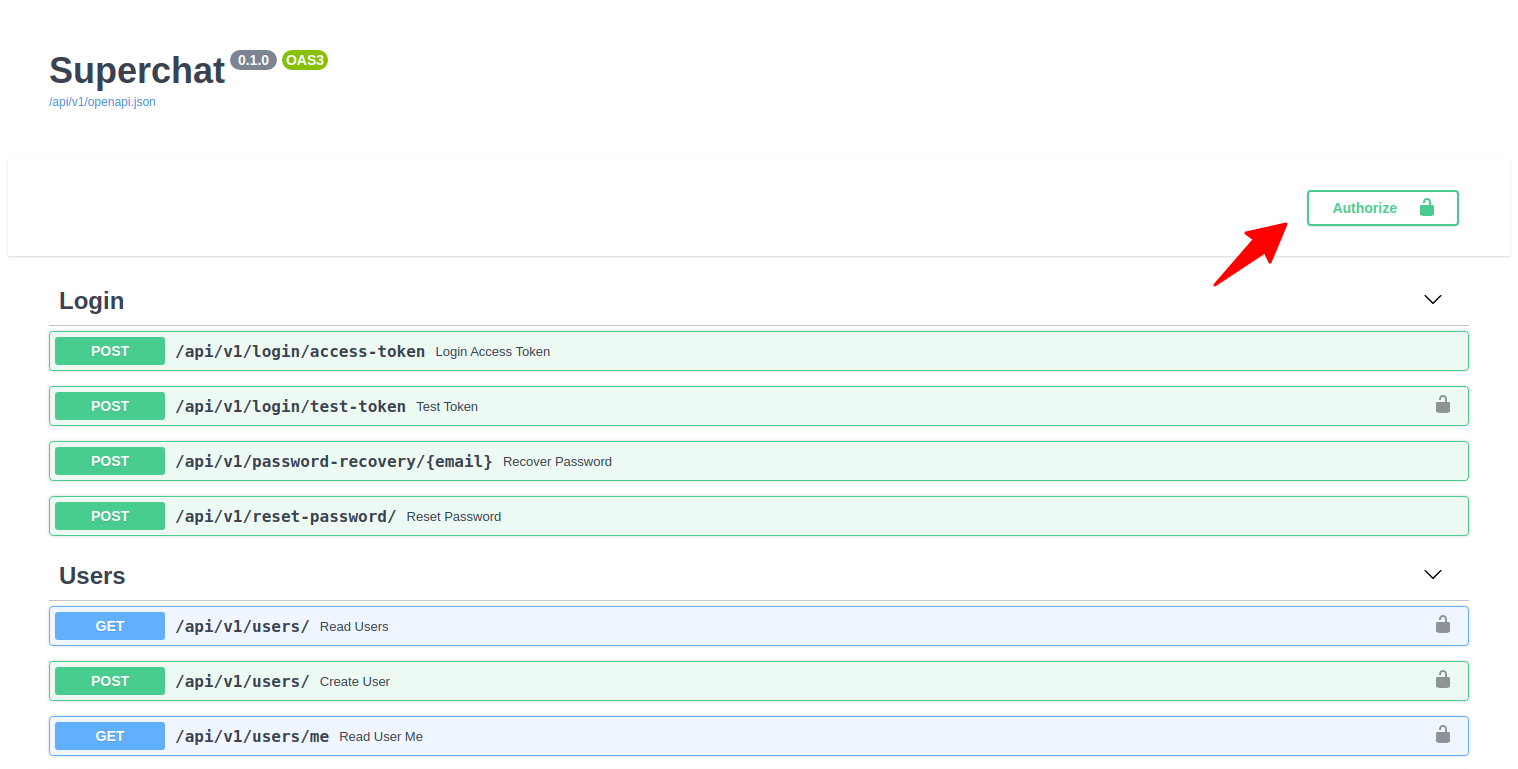
-
Authenticate using the super user
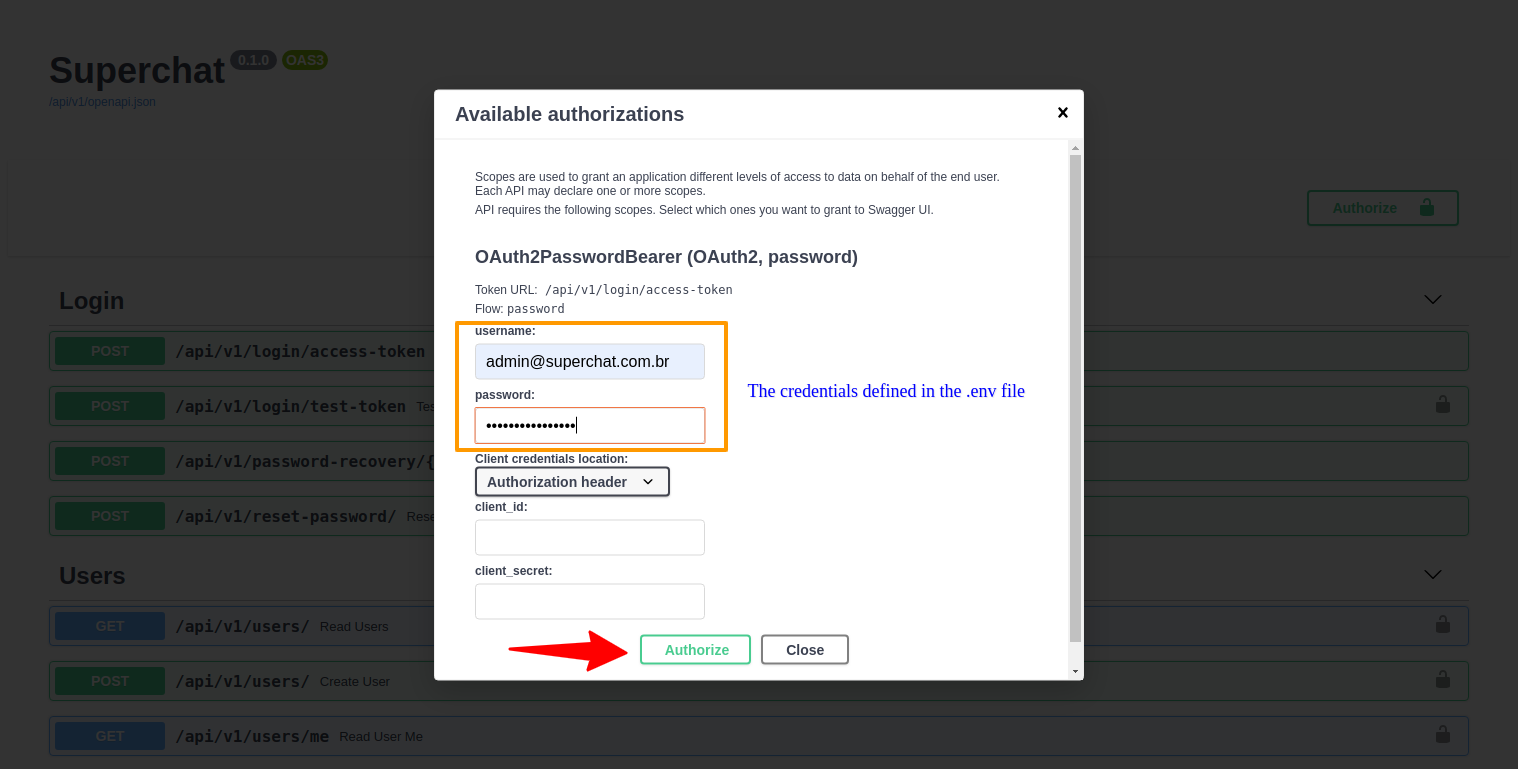
-
With successful authentication, close the window to return to the interactive interface.
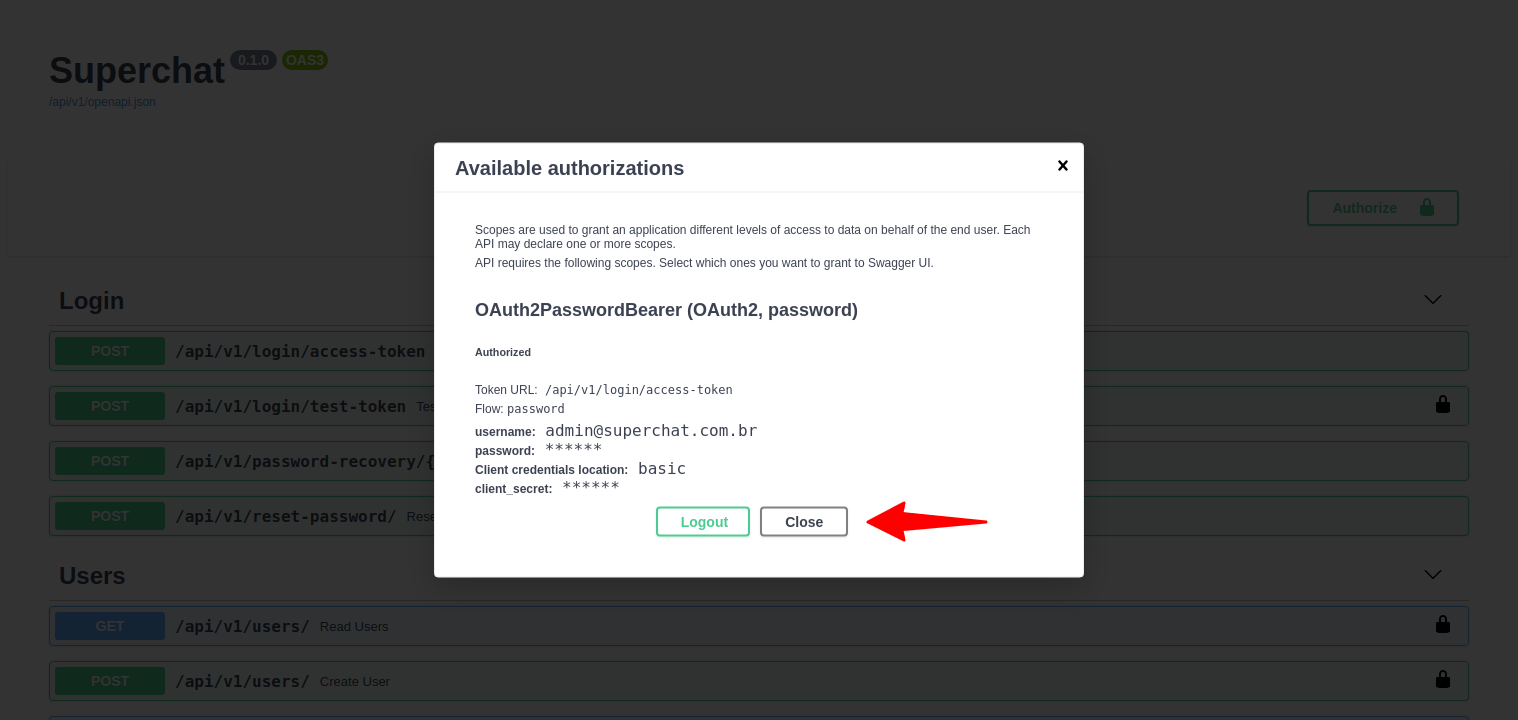
-
If everything went well you will see a closed lock on the main screen
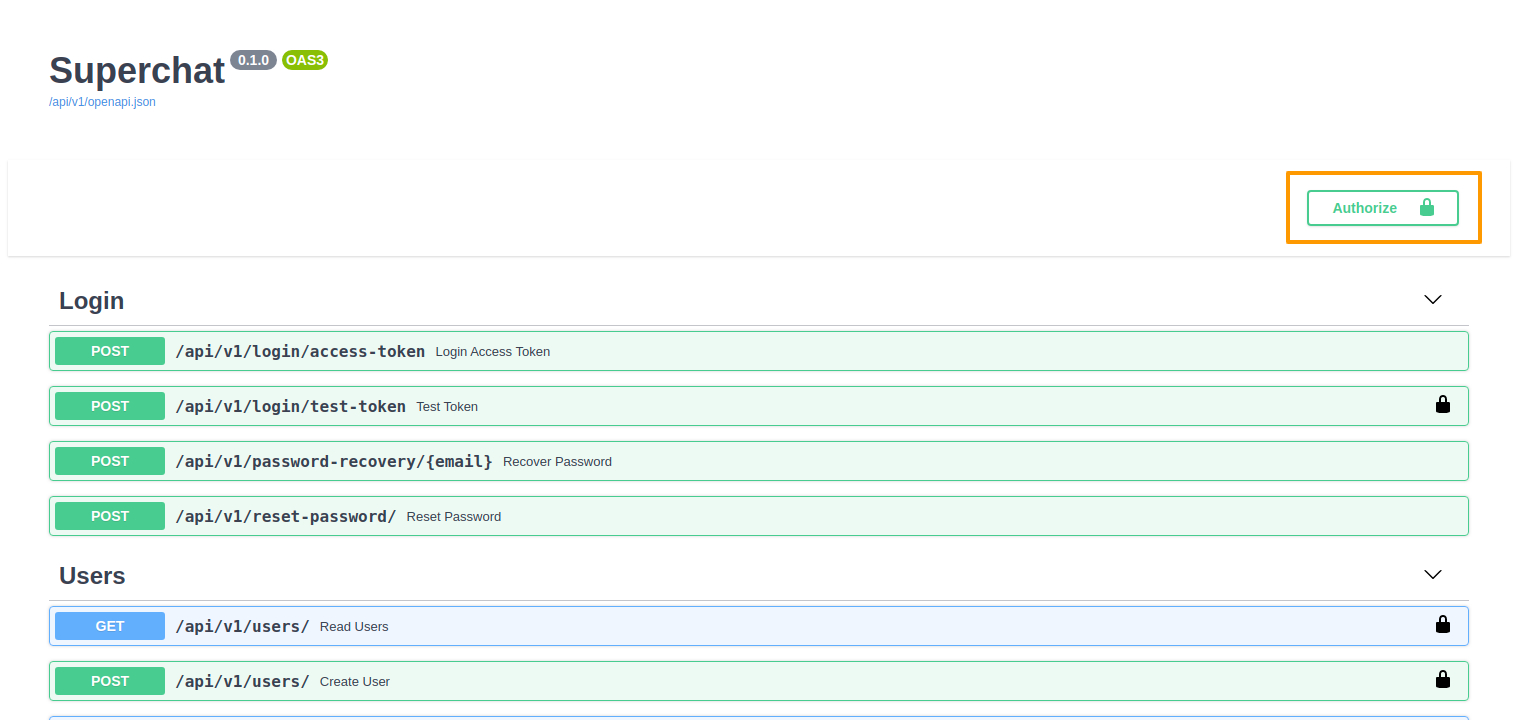
-
Execute:
curl -X POST "http://localhost/api/v1/login/access-token" -H "accept: application/json" -H "Content-Type: application/x-www-form-urlencoded" -d "grant_type=&username=user%40example.com&password=SomeGoodPassword&scope=&client_id=&client_secret=" -
Expected outcome:
{ "access_token": "eyJhbGciOiJIUzI1NiIsInR5cCI6IkpXVCJ9.eyJleHAiOjE2MTUyNDgyNTYsInN1YiI6ImNra2xyYjZxaDAwMDAwOHF4dm5sYXh4bzAifQ.Ycn3ZvLqqO8n7E-tkT3n7zCIlmMug93wC1jTqb65QnM", "token_type": "bearer" } -
Important
Copy the value from theaccess_tokenfield. You will need it for the next commands.