Usage
Superchat comes with a REST API that you use on the backend to run your installation. It is a system in which all of its operation is configured, controlled and works based on a REST API.
You can use the API interactively, integrated with your source code or with CURL or similar tool.
To use it interactively, just open the following address in your browser:
http://localhost/docs
If you prefer, it can also be the address of the external tunnel that points to your local machine:
https://you.lt.superchat.com.br/docs
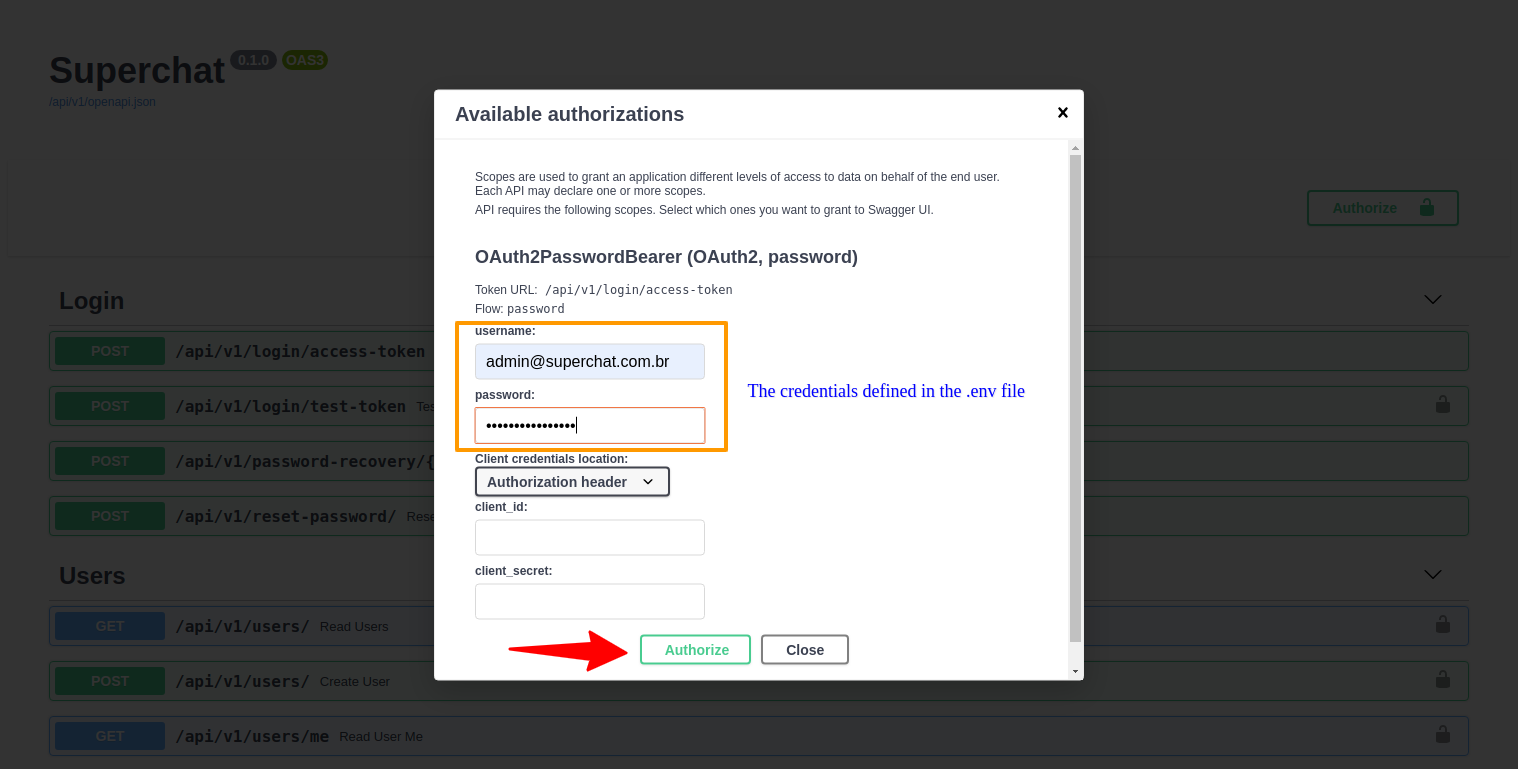
By default, when installing Superchat your database will be initialized with a super user defined in the .env file using the variables FIRST_SUPERUSER and FIRST_SUPERUSER_PASSWORD.
To use most of the API endpoints you must first login. At this moment only the super user is registered, we will use it so that you become familiar with how to use Superchat and then proceed to the next steps.
First steps
Login as super user
-
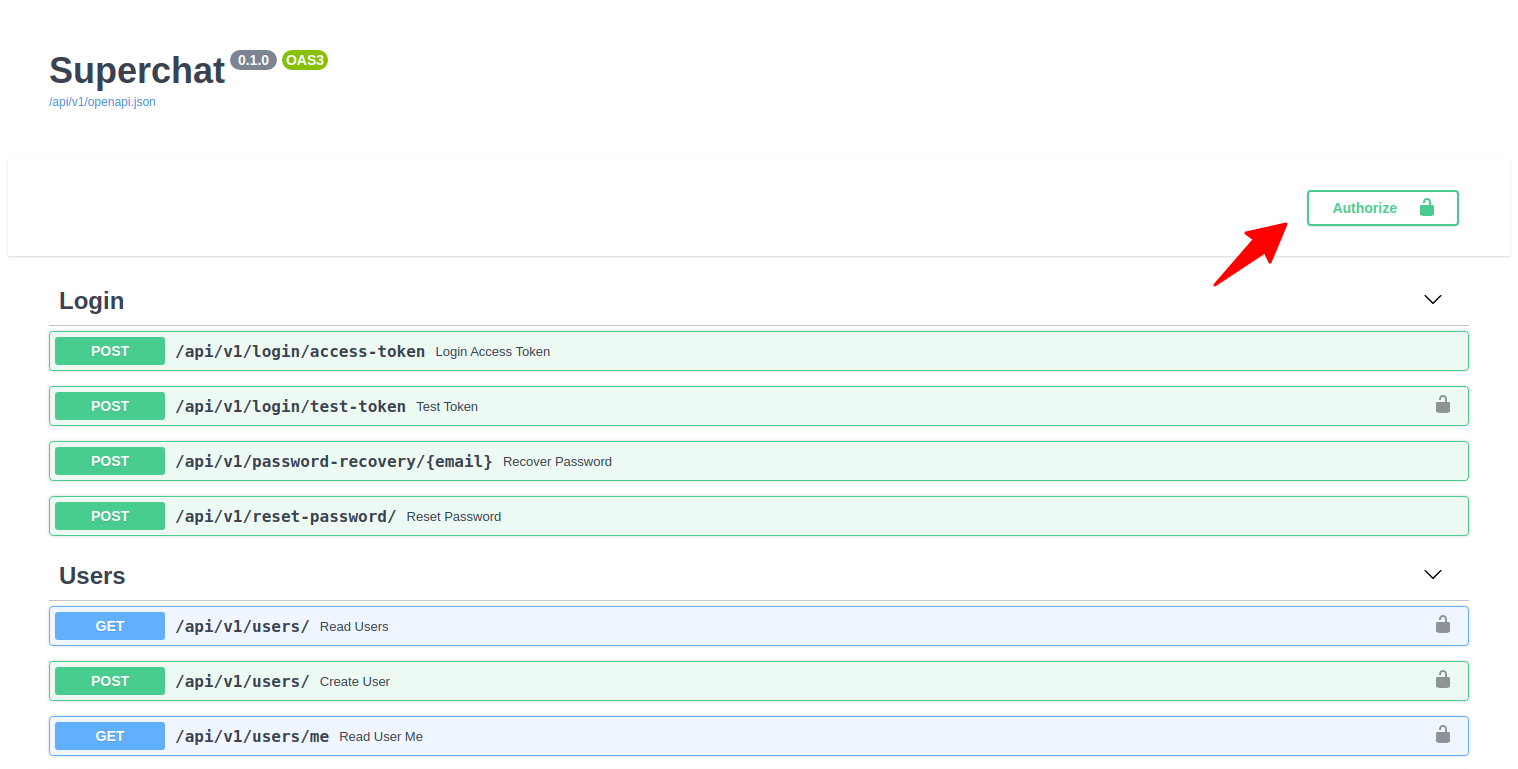
Open the authentication window
-
Authenticate using the super user
-
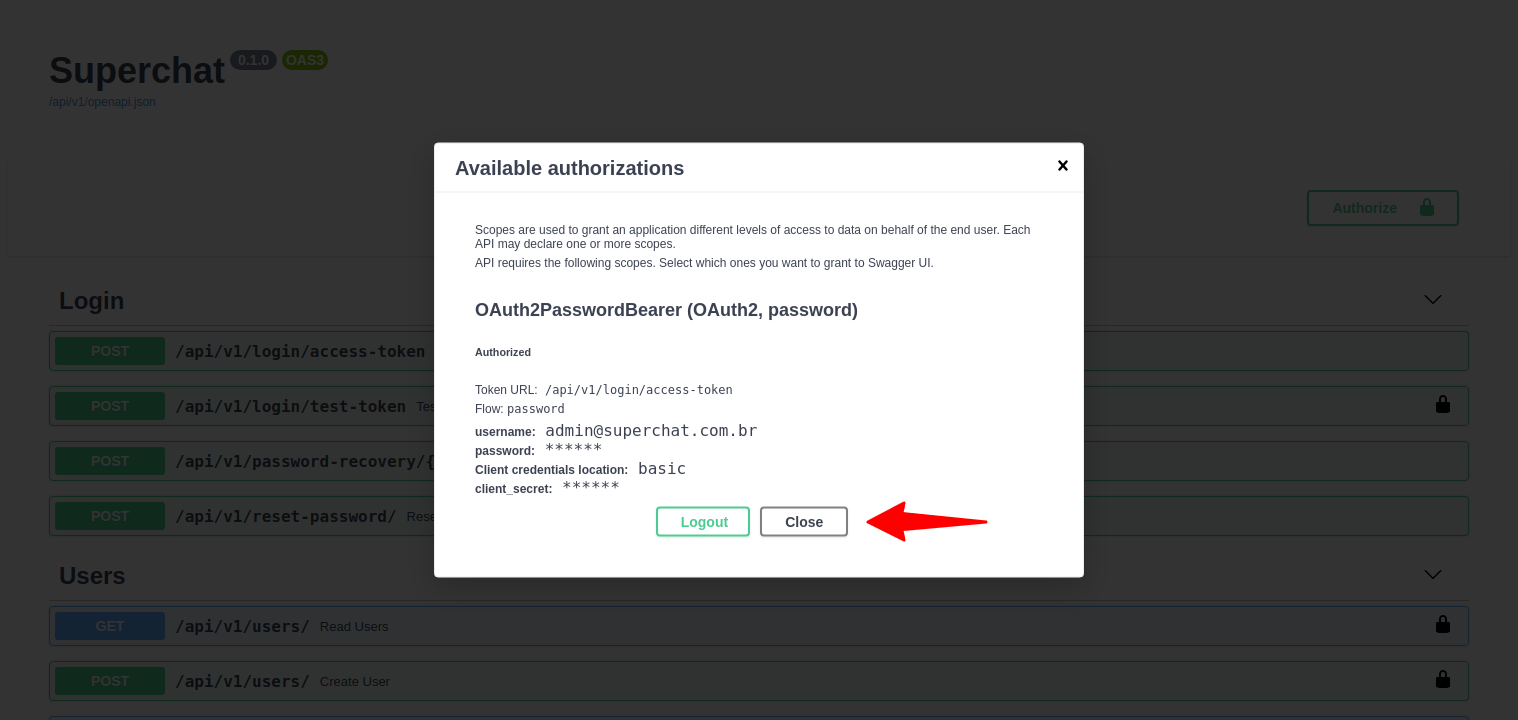
With successful authentication, close the window to return to the interactive interface.
-
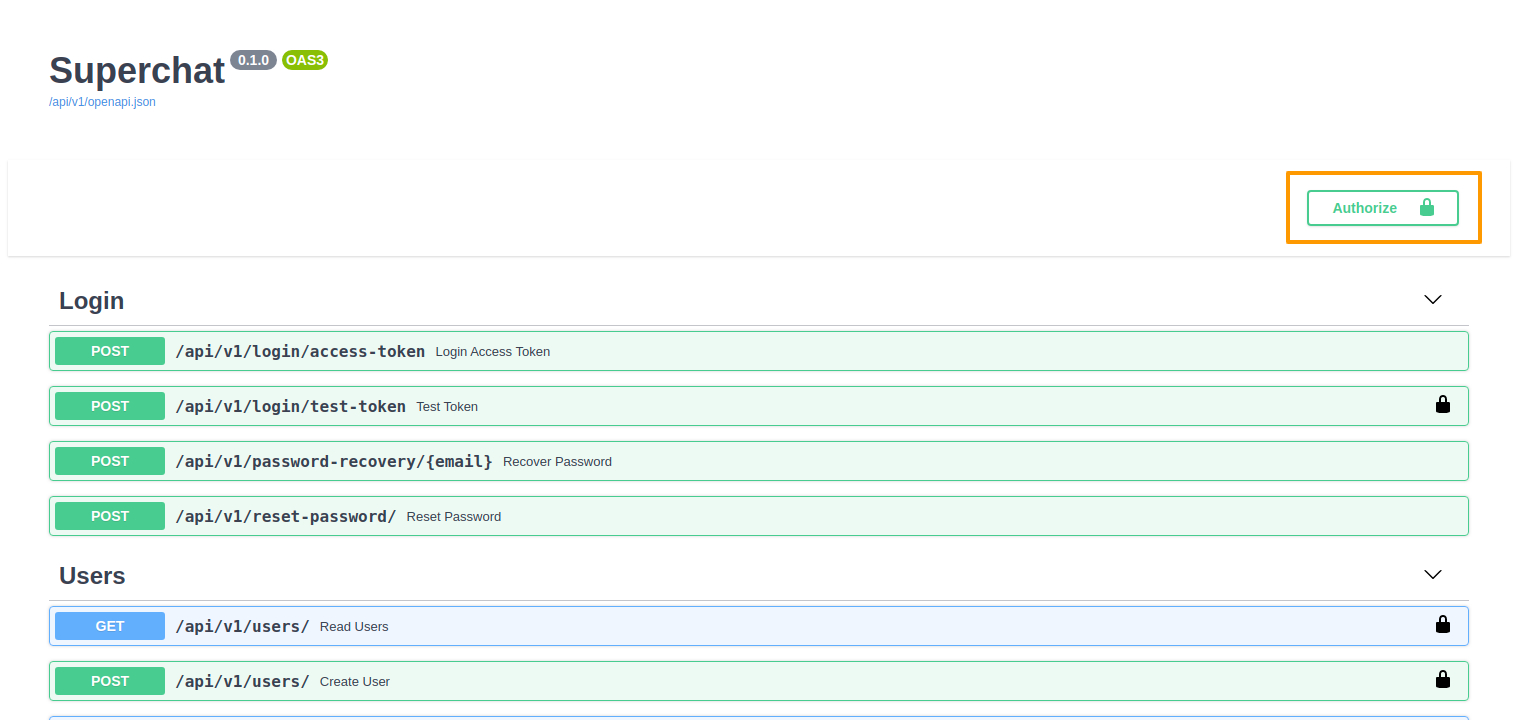
If everything went well you will see a closed lock on the main screen
-
Execute:
curl -X POST "http://localhost/api/v1/login/access-token" -H "accept: application/json" -H "Content-Type: application/x-www-form-urlencoded" -d "grant_type=&username=admin%40superchat.com.br&password=SomeGoodPassword&scope=&client_id=&client_secret=" -
Expected outcome:
{ "access_token": "eyJhbGciOiJIUzI1NiIsInR5cCI6IkpXVCJ9.eyJleHAiOjE2MTUyNDgyNTYsInN1YiI6ImNra2xyYjZxaDAwMDAwOHF4dm5sYXh4bzAifQ.Ycn3ZvLqqO8n7E-tkT3n7zCIlmMug93wC1jTqb65QnM", "token_type": "bearer" } -
Important
Copy the value from theaccess_tokenfield. You will need it for the next commands.
Test the API
Get the list of all users
-
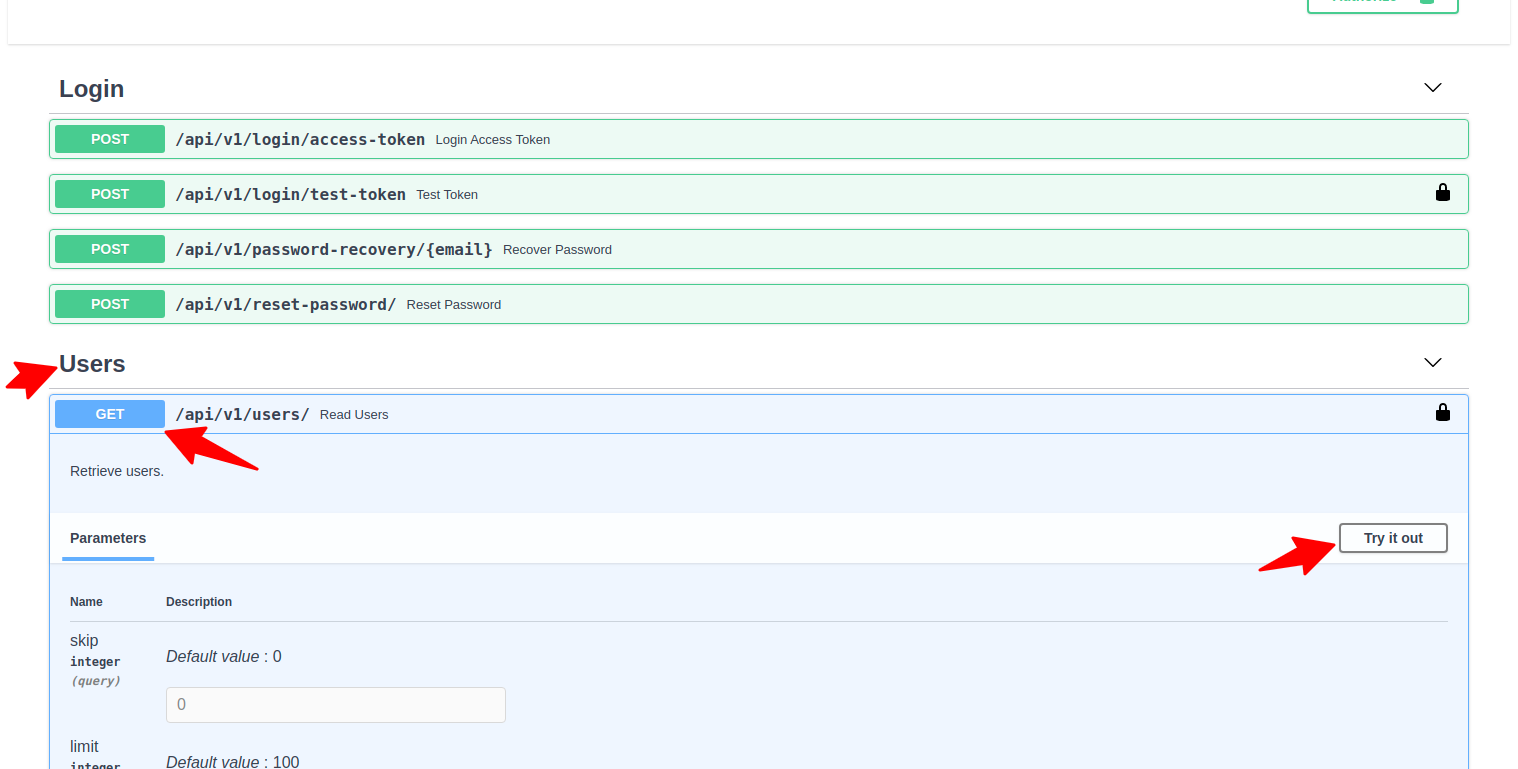
Open the users endpoint and choose to list all users and to try it out
-
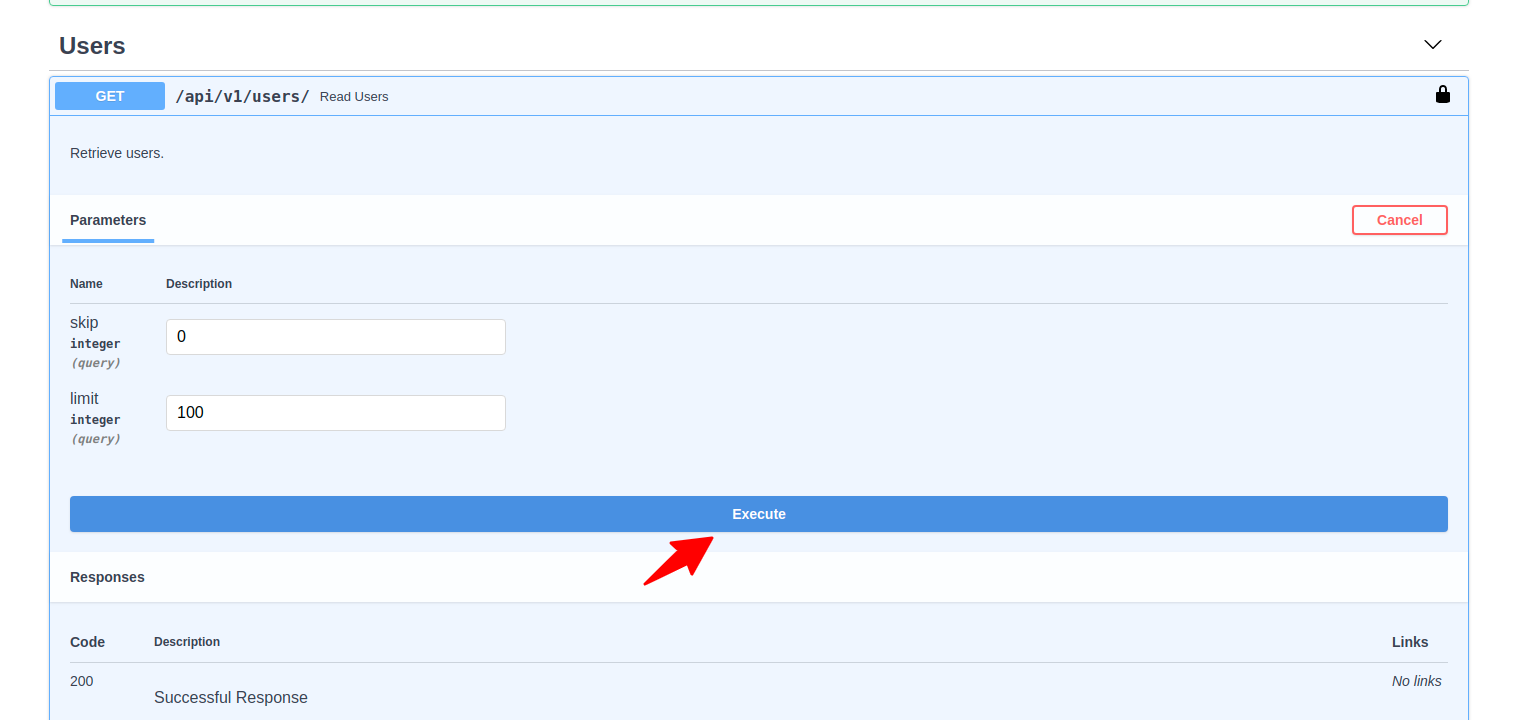
Run the command
-
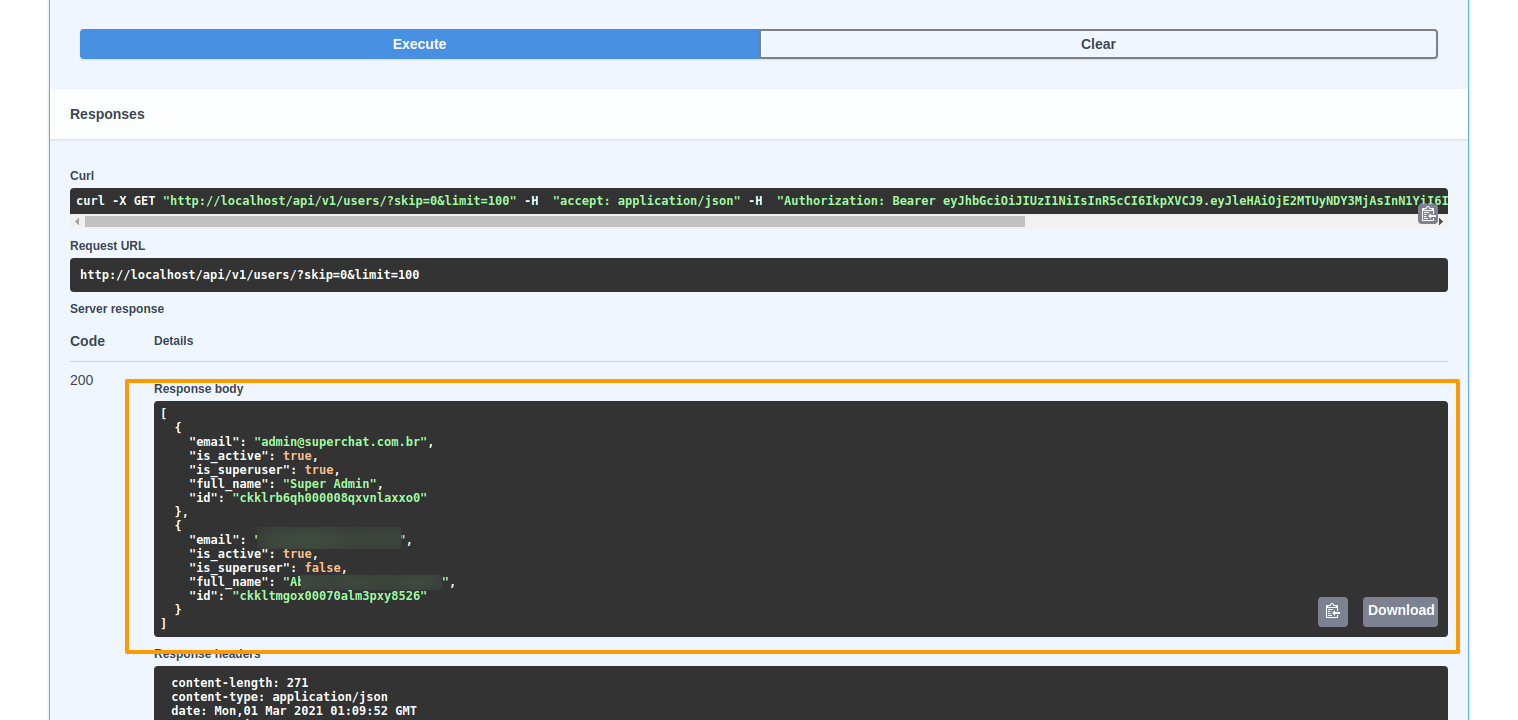
The result will be something like
-
Execute:
curl -X GET "http://localhost/api/v1/users/?skip=0&limit=100" -H "accept: application/json" -H "Authorization: Bearer ACCESS_TOKEN" -
Expected outcome:
[
  {
    "email": "admin@superchat.com.br",
    "is_active": true,
    "is_superuser": true,
    "full_name": "Super Admin",
    "id": "ckklrb6qh000008qxvnlaxxo0"
  }
]
Get logged user information
-
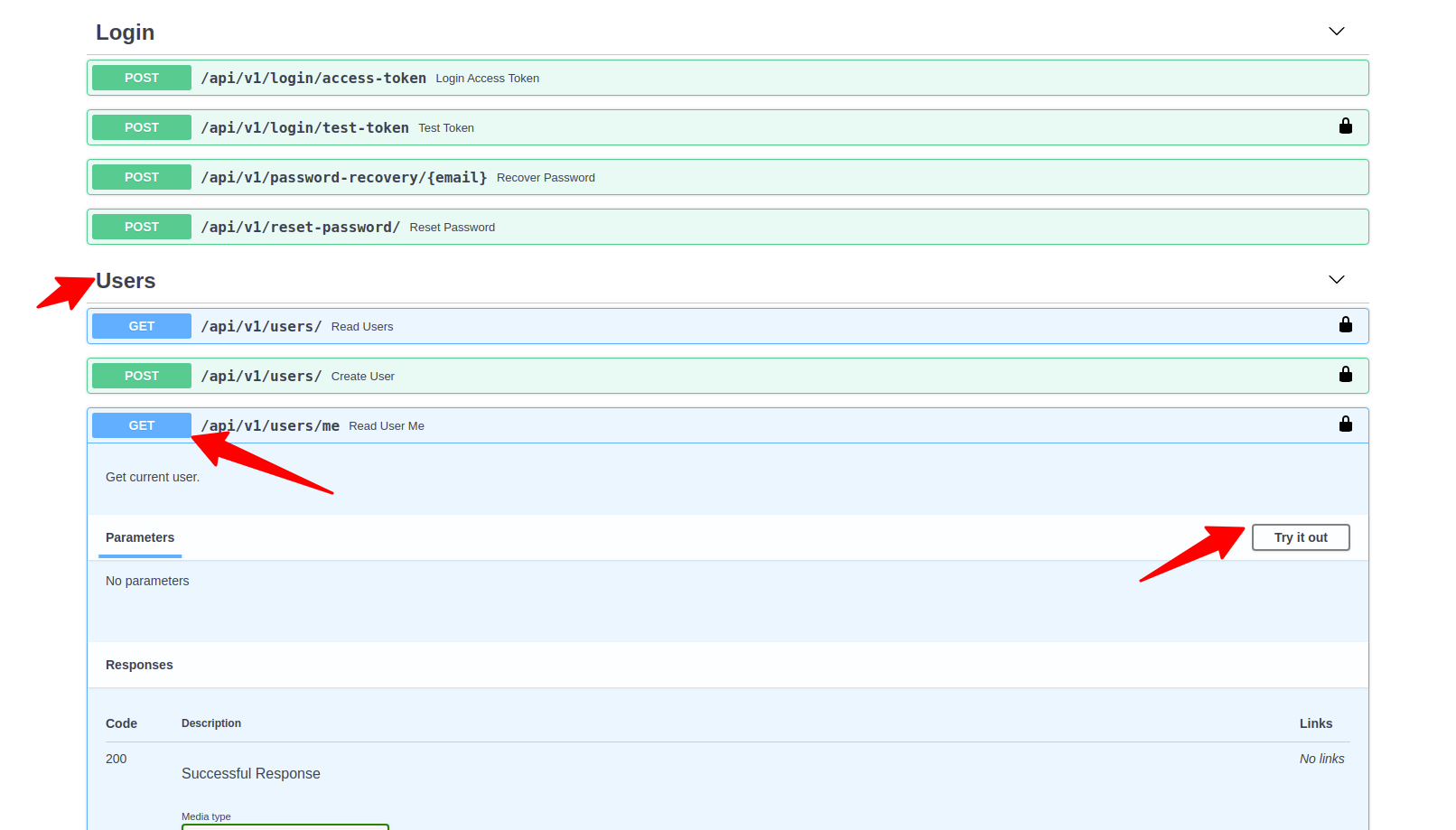
Open the users endpoint and choose to list all users and to try it out
-
Run the command
-
The result will be something like
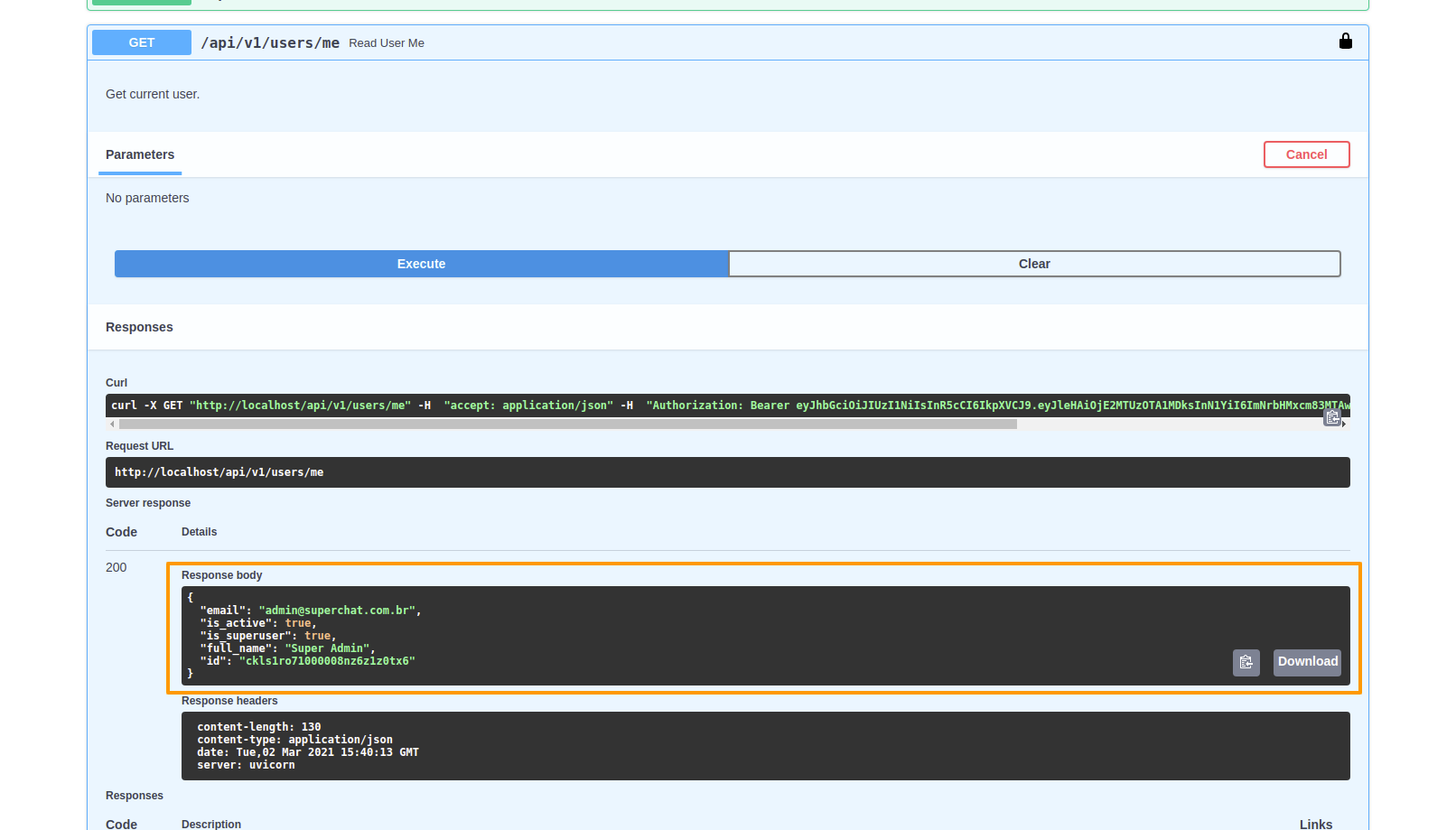
-
Execute:
curl -X GET "http://localhost/api/v1/users/me" -H "accept: application/json" -H "Authorization: Bearer ACCESS_TOKEN" -
Expected outcome:
{
  "email": "admin@superchat.com.br",
  "is_active": true,
  "is_superuser": true,
  "full_name": "Super Admin",
  "id": "ckls1ro71000008nz6z1z0tx6"
}
Next steps
You now know how to use the API interactively or calling via HTTP REST calls.