Create user
It is not recommended that you be the super user for day-to-day operations. You will only need the super user for some very specific tasks, as is the case documented here.
The purpose of this API endpoint is to register new users in the system.
Each user can have their own chat settings and this makes Superchat a multi tenant application. Or multi departments, depending on the use you plan to make of it.
Requirements
Datasheet
-
Interactive API and documentation
-
Endpoint URL
POST
http://localhost/api/v1/login/access-token -
URL parameters
None -
Body content
application/json
-
Requires authentication
Yes -
Data to be returned
application/json
Steps
Create new user
-
Open the users endpoint and choose
Create Userand to try it out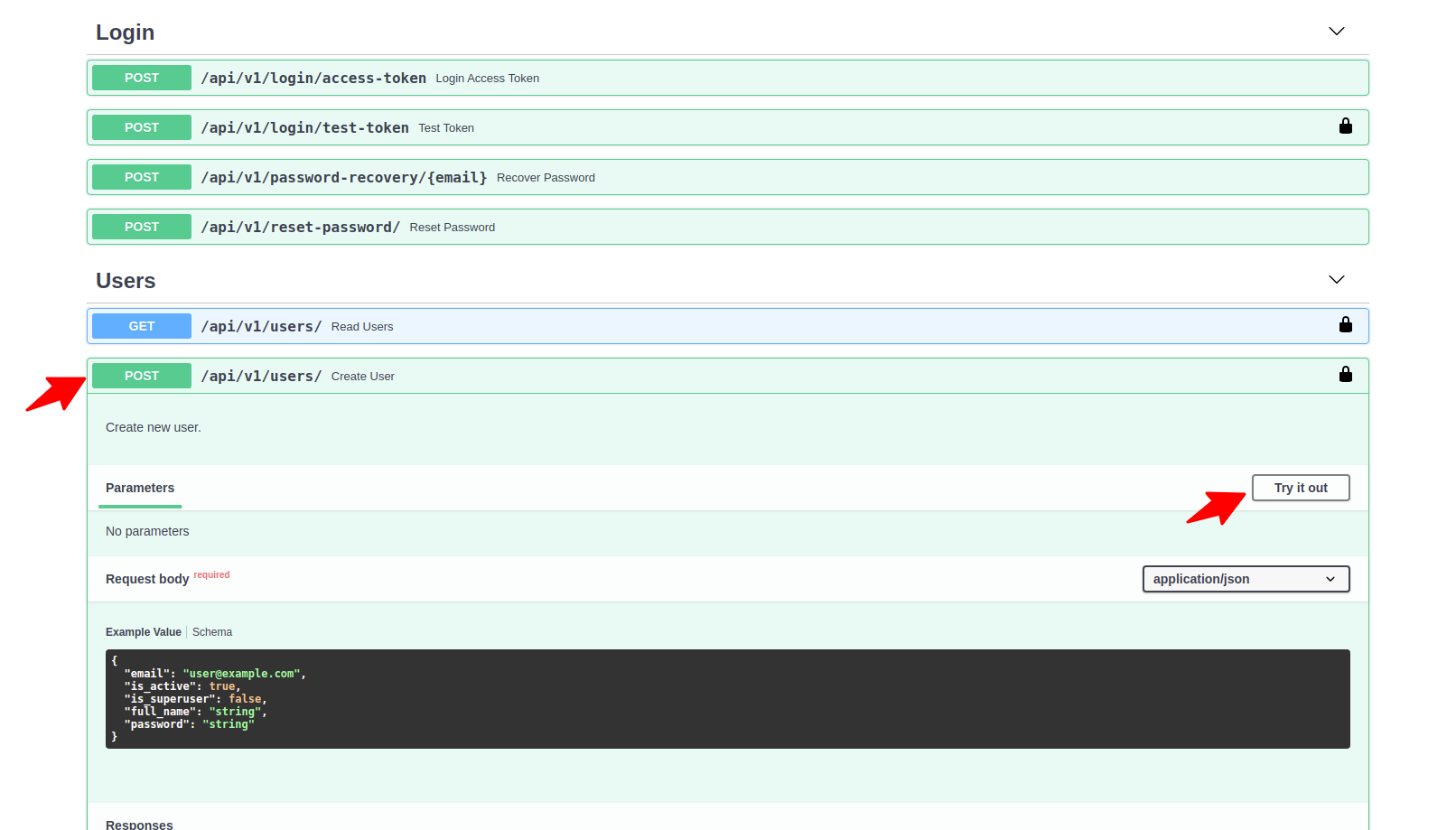
-
Run the command
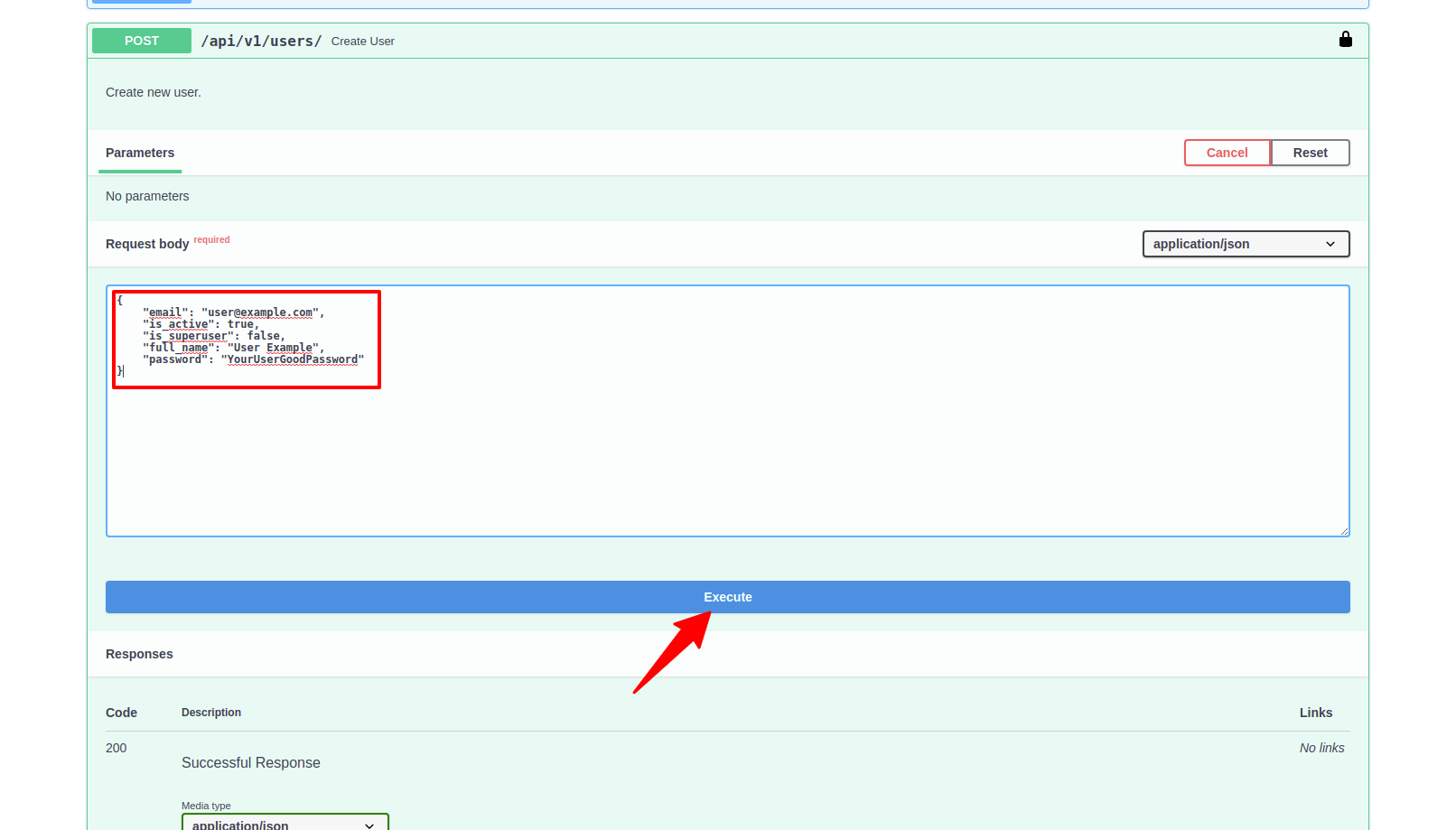
-
The result will be something like
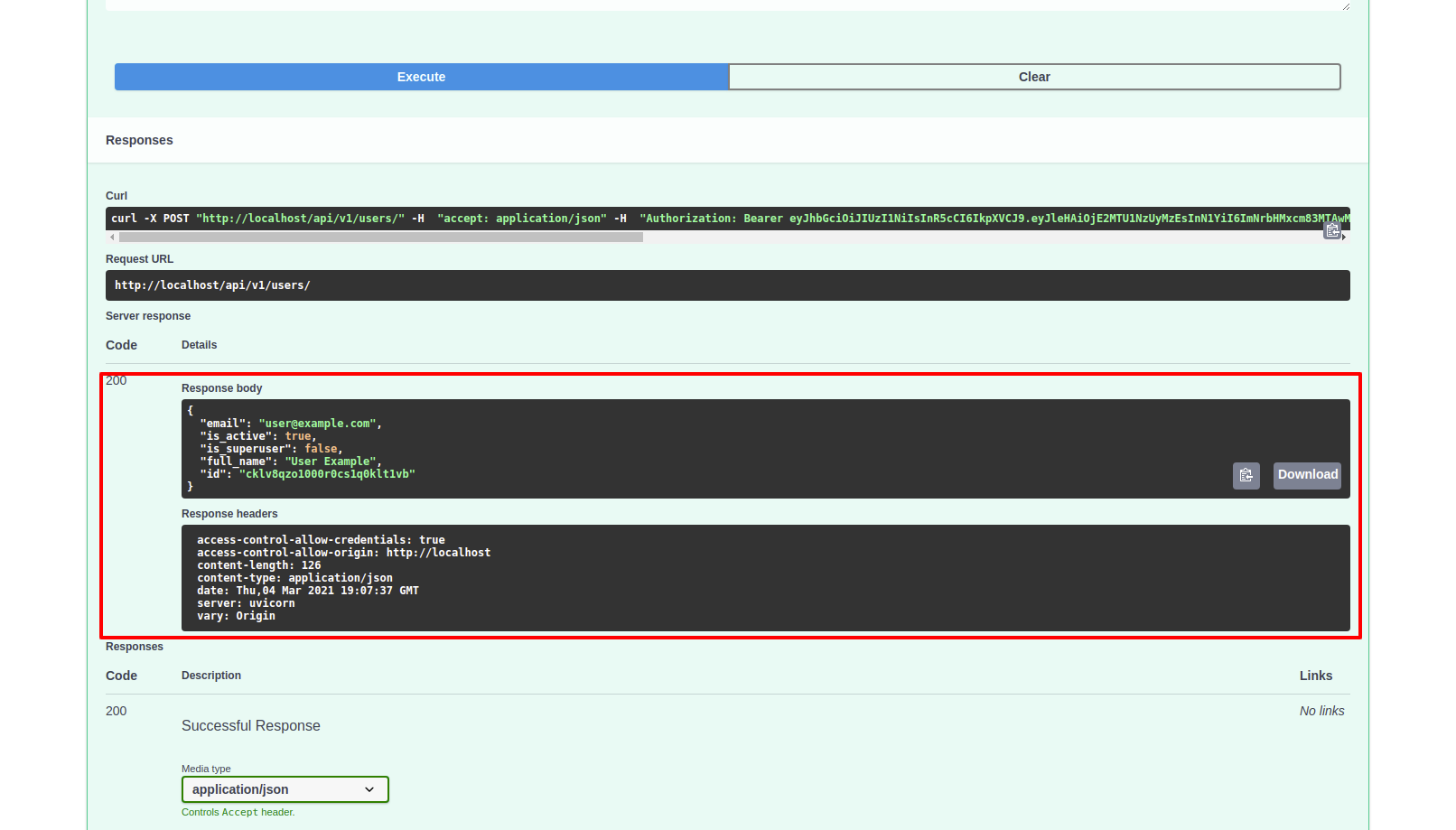
-
Execute:
curl -X POST "http://localhost/api/v1/users/" -H "accept: application/json" -H "Authorization: Bearer ACCESS_TOKEN" -H "Content-Type: application/json" -d "{\"email\":\"user@example.com\",\"is_active\":true,\"is_superuser\":false,\"full_name\":\"User Example\",\"password\":\"YourUserGoodPassword\"}" -
Expected outcome:
{
    "email": "user@example.com",
    "is_active": true,
    "is_superuser": false,
    "full_name": "User Example",
    "id": "cklv8qzo1000r0cs1q0klt1vb"
}
Get new user information
-
Open the users endpoint and choose to list all users and to try it out
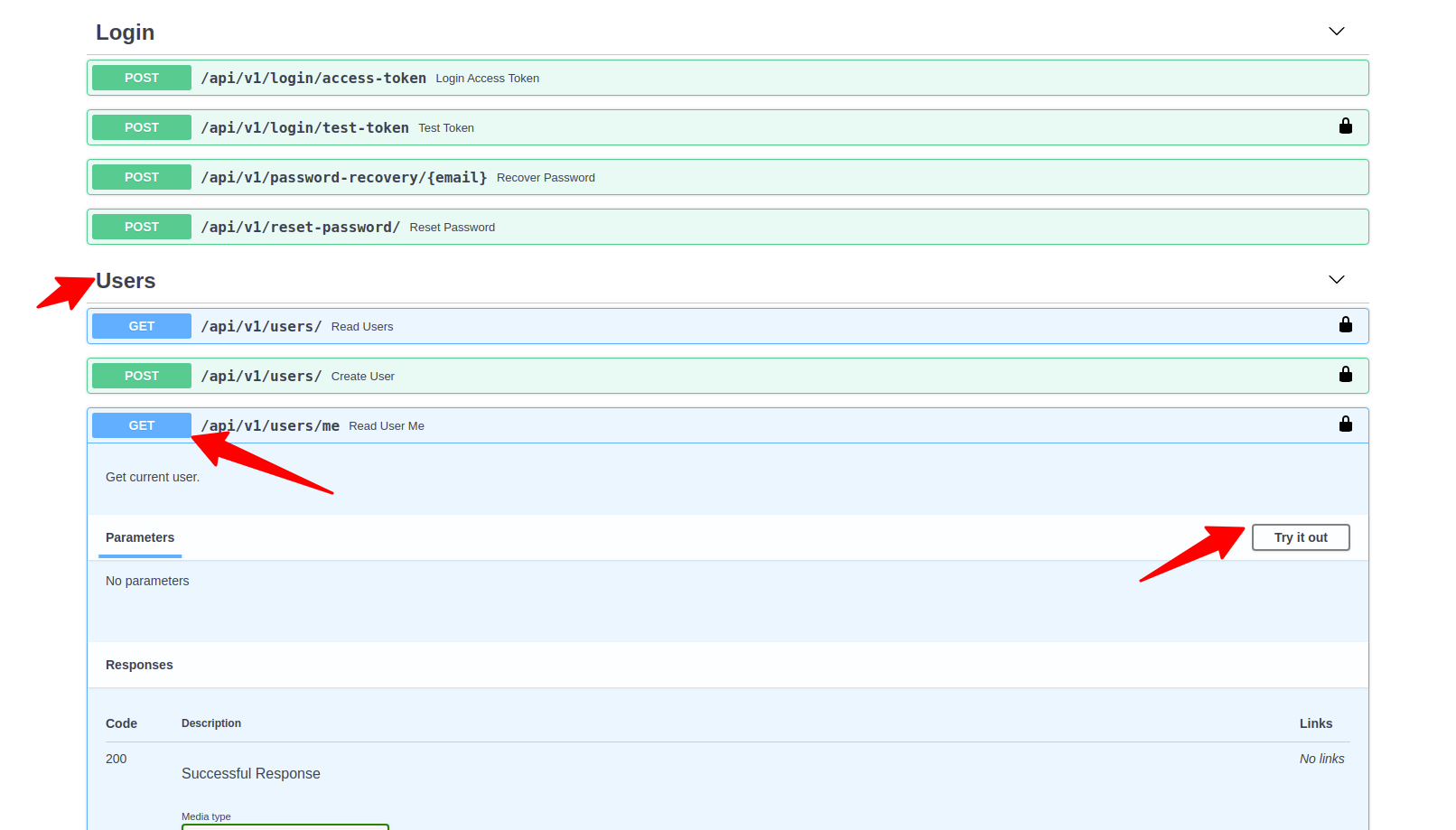
-
Run the command
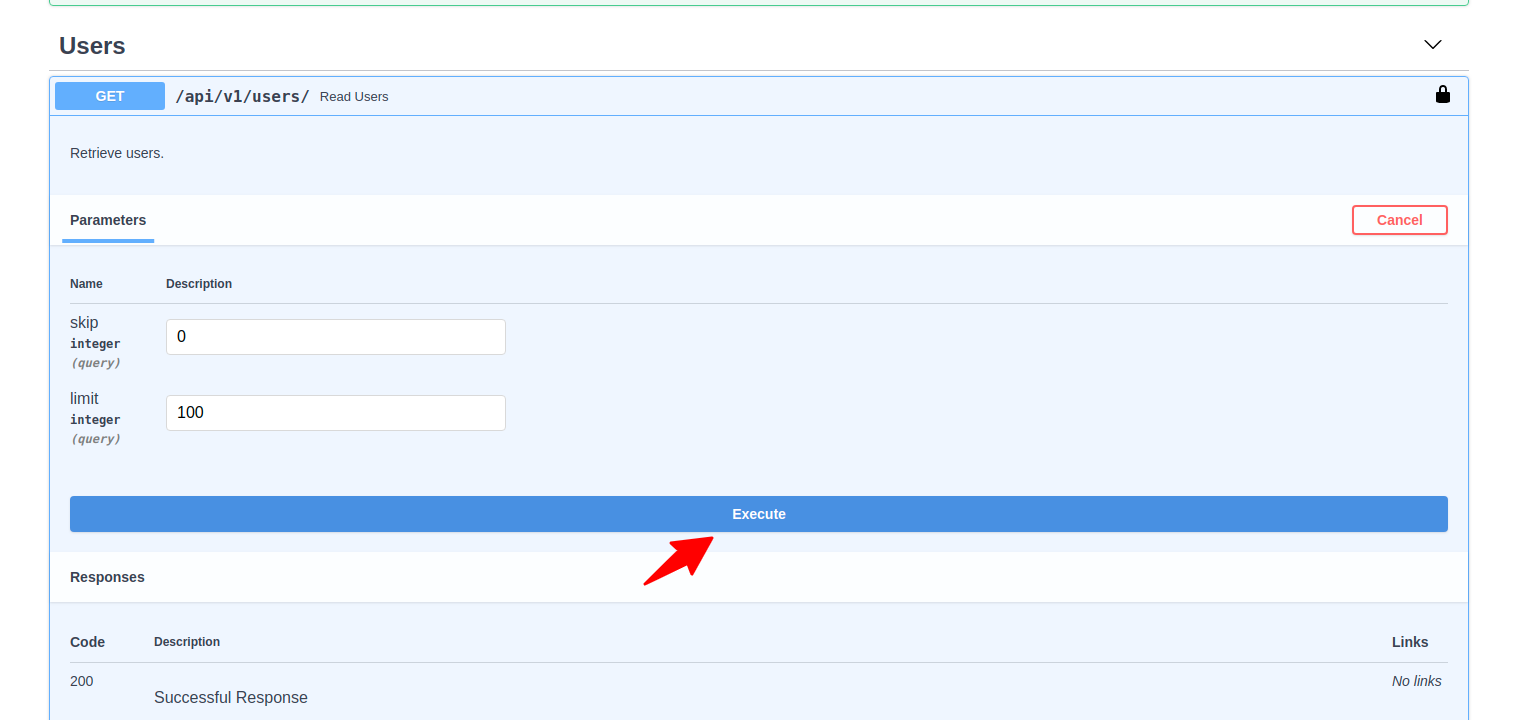
-
The result will be something like
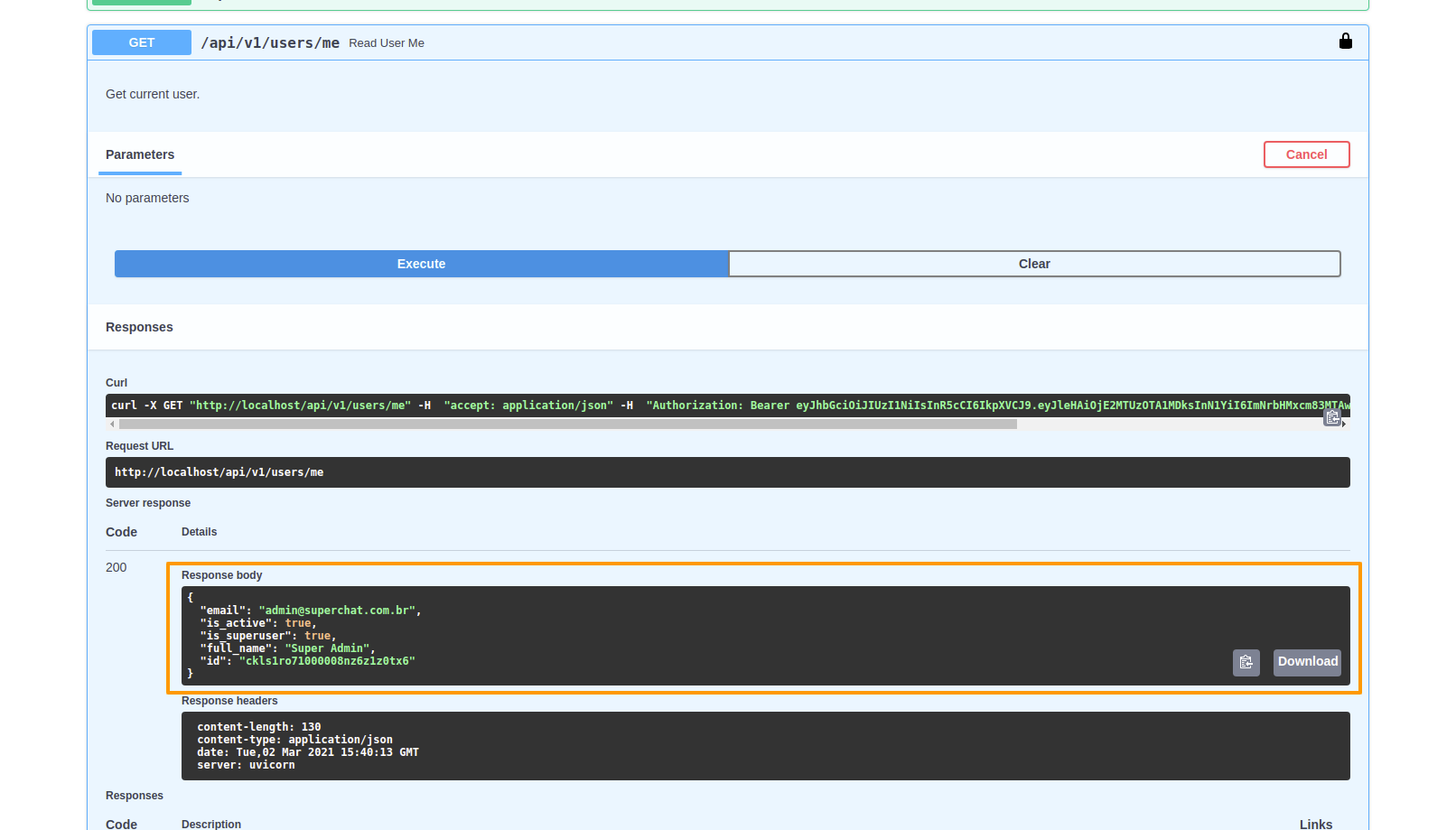
-
Execute:
curl -X GET "http://localhost/api/v1/users/me" -H "accept: application/json" -H "Authorization: Bearer ACCESS_TOKEN" -
Expected outcome:
{
  "email": "admin@superchat.com.br",
  "is_active": true,
  "is_superuser": true,
  "full_name": "Super Admin",
  "id": "ckls1ro71000008nz6z1z0tx6"
}