Gupshup Whatsapp X Tiledesk
This documentation is about how to use Gupshup as a Whatsapp communication channel and Tiledesk as an attendance system.
All integration is configured by creating a record in the database using the config API:
Configs (POST) /api/v1/configs
Requirements
You must have collected the following information:
- GUPSHUP_APP_NAME = App name
- GUPSHUP_API_KEY = Api key
- GUPSHUP_WHATSAPP_PHONENUMBER = Whatsapp number
- TILEDESK_PROJECT_ID = Project ID
- TILEDESK_SHARED_SECRET = Shared secret
- The name of the configuration
- The public and secure URL of your Superchat server
Generate new config template
Use this API endpoint to generate it:
After the configuration data is generated, copy the json result and continue from now on.
Get the JSON config data
-
From the template generated in the previous topic, copy the value of the
configfield. Do not copy the name of the field.1 2 3 4 5 6 7 8 9 10 11 12 13 14 15 16 17 18 19 20 21 22 23 24 25 26 27 28 29 30 31 32 33 34 35 36 37 38 39 40 41 42 43 44 45 46 47 48 49 50 51 52 53 54 55 56 57 58
{
    "handson_webhook_url": "https://you.lt.superchat.com.br/api/v1/webhooks/cklv8qzo1000r0cs1q0klt1vb/tiledesk-ckm86efhr000i0aqyhrpuqj6v/handson/json",
    "channel_webhook_url": "https://you.lt.superchat.com.br/api/v1/webhooks/cklv8qzo1000r0cs1q0klt1vb/tiledesk-ckm86efhr000i0aqyhrpuqj6v/channel/json",
    "config": {
        "label": "Gupshup whatsapp with Tiledesk handson to human operator",
        "key": "tiledesk-ckm86efhr000i0aqyhrpuqj6v",
        "value": {
        "active": true,
        "channel": {
            "app": "GUPSHUP_APP_NAME",
            "uid": "GUPSHUP_WHATSAPP_PHONENUMBER",
            "user": "",
            "password": "",
            "extra": {},
            "apikey": "GUPSHUP_API_KEY",
            "module": "app.lib.channels.gupshupwhatsapp",
            "plugin": "gupshupwhatsapp",
            "channel": "whatsapp",
            "plugins": {
                "in": [
                    {
                        "id": "optin_telegram",
                        "extra": {
                            "signup_url": "https://web.telegram.org"
                        },
                        "order": 0,
                        "module": "app.lib.channels.plugins.in.optin_telegram",
                        "execute": "once",
                        "description": "Optin for Telegram channel"
                    }
                ],
                "out": [],
                "contact": {
                    "extra": {},
                    "default": {
                        "id": "ckkoibtlh000072xu98aqqm1r",
                        "extra": {},
                        "module": "app.lib.channels.plugins.contacts.default",
                        "description": "Get minimal contact info"
                    }
                }
            }
        },
        "handson": {
            "url": "https://api.tiledesk.com",
            "module": "app.lib.handson.tiledesk",
            "plugin": "tiledesk",
            "channel": "tiledesk",
            "project_id": "TILEDESK_PROJECT_ID",
            "allow_newchat": false,
            "shared_secret": "TILEDESK_SHARED_SECRET"
        },
        "speech_name": "Empresa de demonstração",
        "speech_name_genre": "a"
        },
        "status": 1
    }
}
Example
In the case of our example the correct result would be this:
 1
 2
 3
 4
 5
 6
 7
 8
 9
10
11
12
13
14
15
16
17
18
19
20
21
22
23
24
25
26
27
28
29
30
31
32
33
34
35
36
37
38
39
40
41
42
43
44
45
46
47
48
49
50
51
52
53
54
{ "label": "Gupshup whatsapp with Tiledesk handson to human operator", "key": "tiledesk-ckm86efhr000i0aqyhrpuqj6v", "value": { "active": true, "channel": { "app": "GUPSHUP_APP_NAME", "uid": "GUPSHUP_WHATSAPP_PHONENUMBER", "user": "", "password": "", "extra": {}, "apikey": "GUPSHUP_API_KEY", "module": "app.lib.channels.gupshupwhatsapp", "plugin": "gupshupwhatsapp", "channel": "whatsapp", "plugins": { "in": [ { "id": "optin_telegram", "extra": { "signup_url": "https://web.telegram.org" }, "order": 0, "module": "app.lib.channels.plugins.in.optin_telegram", "execute": "once", "description": "Optin for Telegram channel" } ], "out": [], "contact": { "extra": {}, "default": { "id": "ckkoibtlh000072xu98aqqm1r", "extra": {}, "module": "app.lib.channels.plugins.contacts.default", "description": "Get minimal contact info" } } } }, "handson": { "url": "https://api.tiledesk.com", "module": "app.lib.handson.tiledesk", "plugin": "tiledesk", "channel": "tiledesk", "project_id": "TILEDESK_PROJECT_ID", "allow_newchat": false, "shared_secret": "TILEDESK_SHARED_SECRET" }, "speech_name": "Empresa de demonstração", "speech_name_genre": "a" }, "status": 1 } -
Change these fields with previous collected information:
Field Replace With value.channel.app GUPSHUP_APP_NAME Name of the app created in the Gupshup dashboard. value.channel.uid GUPSHUP_WHATSAPP_PHONENUMBER The phone number associated with the app in Gupshup. value.channel.apikey GUPSHUP_API_KEY APIKEI provided by Gupswhup. value.handson.project_id TILEDESK_PROJECT_ID The project ID in Tiledesk. value.handson.shared_secret TILEDESK_SHARED_SECRET The shared secret generated for the project on Tiledesk.
Get the webhook URL's values
-
From the template generated in the previous topic, copy the value of the
handson_webhook_urlandchannel_webhook_urlfields. Do not copy the name of the field.1 2 3 4 5 6
{
    "handson_webhook_url": "https://you.lt.superchat.com.br/api/v1/webhooks/cklv8qzo1000r0cs1q0klt1vb/tiledesk-ckm86efhr000i0aqyhrpuqj6v/handson/json",
    "channel_webhook_url": "https://you.lt.superchat.com.br/api/v1/webhooks/cklv8qzo1000r0cs1q0klt1vb/tiledesk-ckm86efhr000i0aqyhrpuqj6v/channel/json",
    "config": {
        "label": "Gupshup whatsapp with Tiledesk handson to human operator",
        "key": "tiledesk-ckm86efhr000i0aqyhrpuqj6v",
Example
In the case of our example the correct result would be this:
Webhook for Key Value Tiledesk handson_webhook_url https://you.lt.superchat.com.br/api/v1/webhooks/cklv8qzo1000r0cs1q0klt1vb/tiledesk-ckm86efhr000i0aqyhrpuqj6v/handson/json Gupshup channel_webhook_url https://you.lt.superchat.com.br/api/v1/webhooks/cklv8qzo1000r0cs1q0klt1vb/tiledesk-ckm86efhr000i0aqyhrpuqj6v/channel/json
Create new config
With customized JSON for your Gupshup and Tiledesk accounts in hand use this API endpoint to create a configuration for this integration. This JSON will be the payload that you must place on the request body of the API call:
After the configuration data is created continue from now on.
Configure Gupshup
To configure Gupshup so that it sends messages received via Whatsapp to the Superchat webhook, follow the instructions in the coupling below:
After setting up Gupshup continue from now on.
Configure Tiledesk
And now, set up your account on Tiledesk so that responses from human operators are sent to the Superchat webhook:
After setting up Gupshup continue from now on.
Test the integration
ATTENTION: Read this if you have not yet registered your own phone number on Gupshup
If you are using Gupshup in SANDBOX mode, that is, you have not yet authorized the use of your phone number with Facebook/Whatsapp API, you will need to do the following:
-
Open https://www.gupshup.io/whatsapp/dashboard and choose the app to be configured.
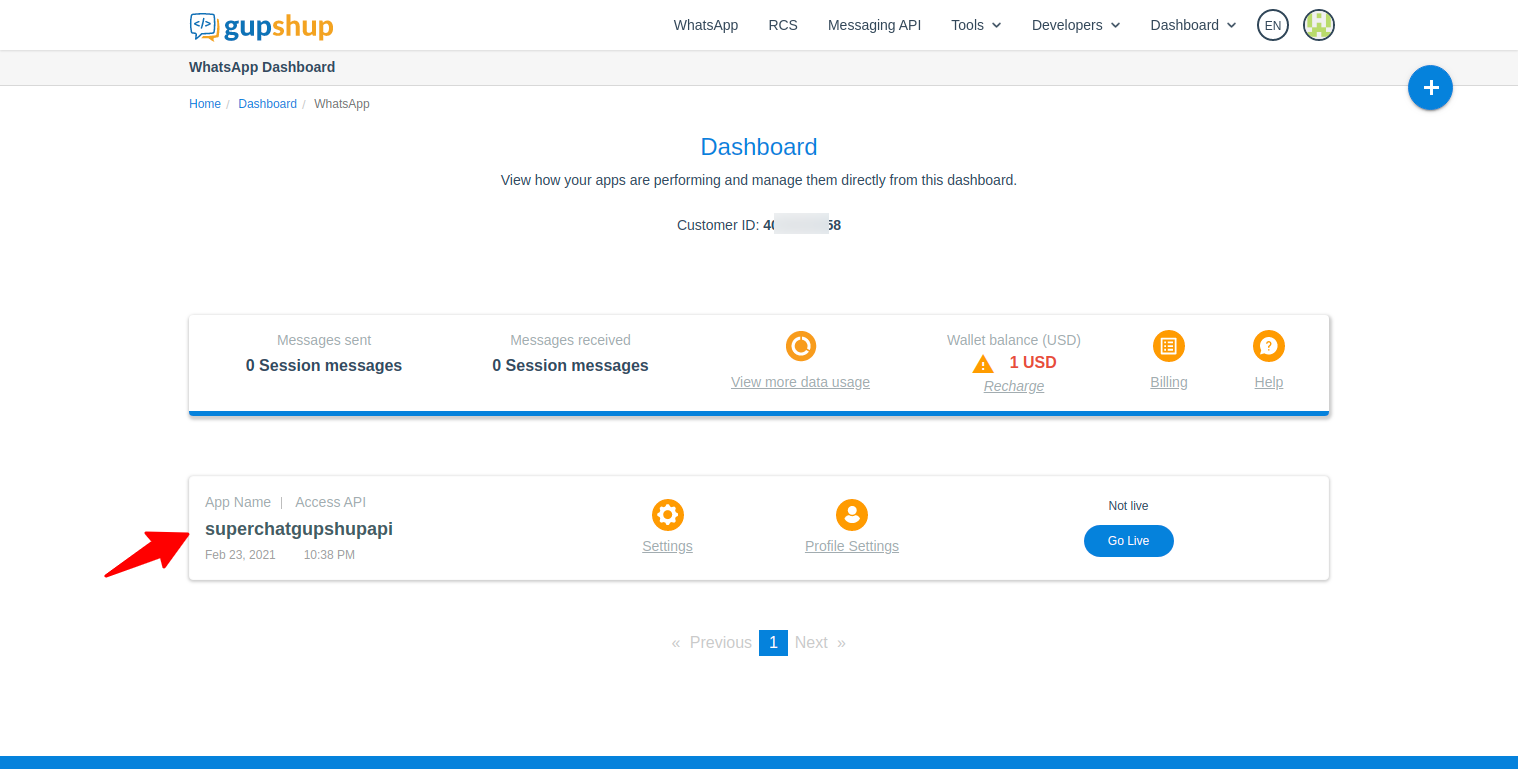
-
Scroll down until you find the section
Smart mechanisms to get active and opted in usersthen copy the optin URL, open it on your smartphone and authorize your phone number to use the sandbox.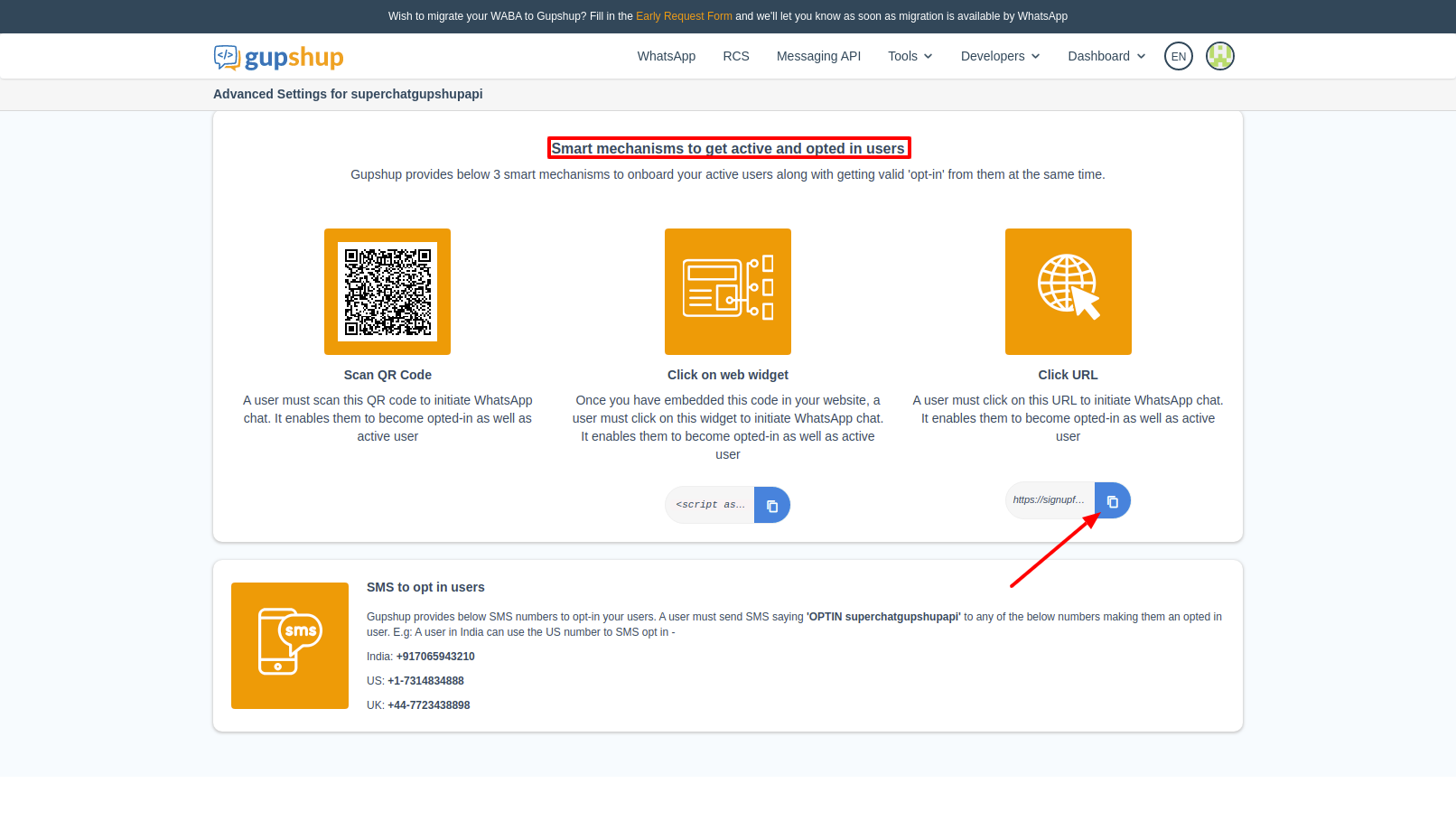
-
Scroll down until you find the section
Test access API and set callback URLthen copy the phone number displayed inSender field. This is the phone number associated with your testing environment and it is to it that you will send messages using Whatsapp.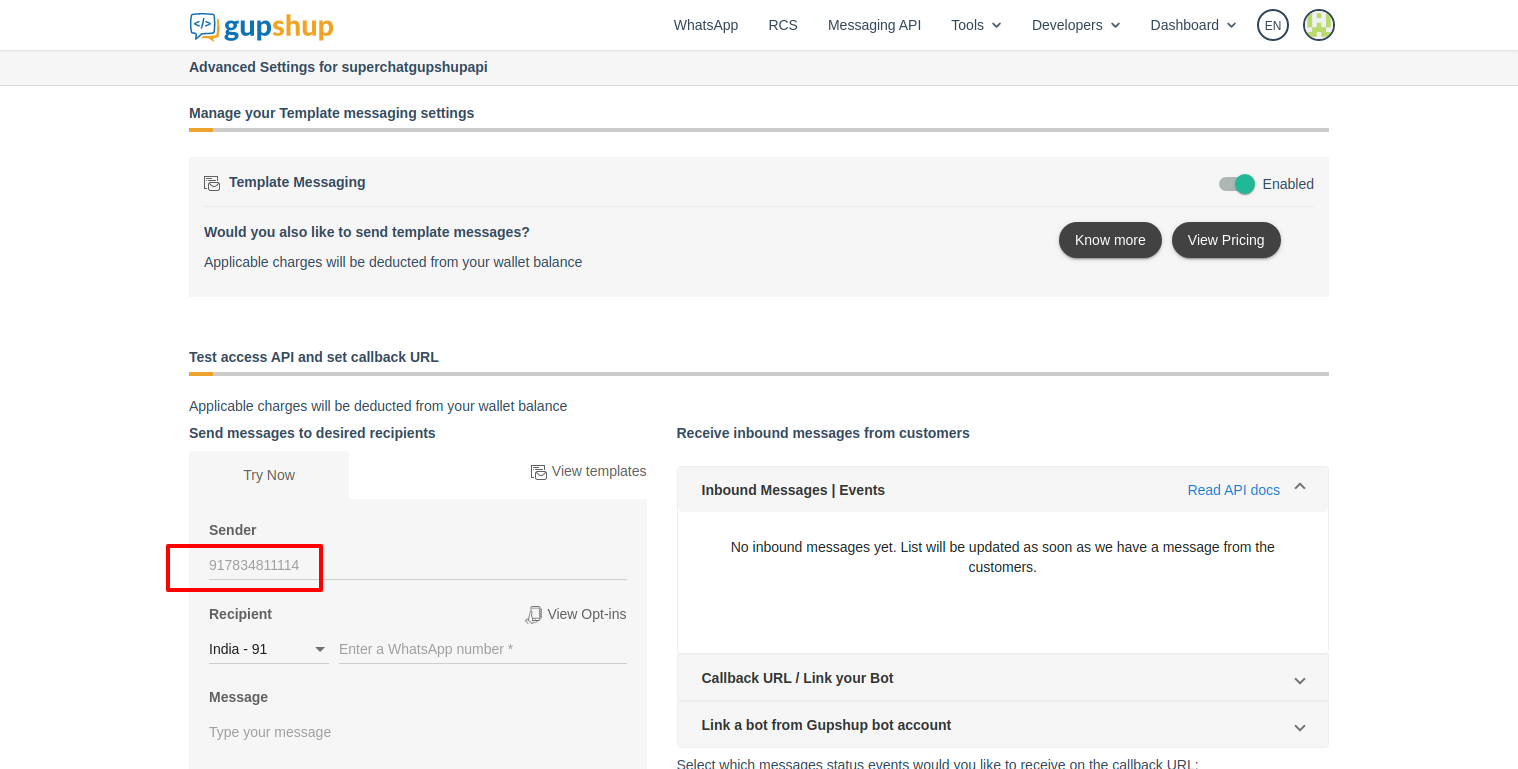
The flow of the optin is like this:
-
Click in the Gupshup optin
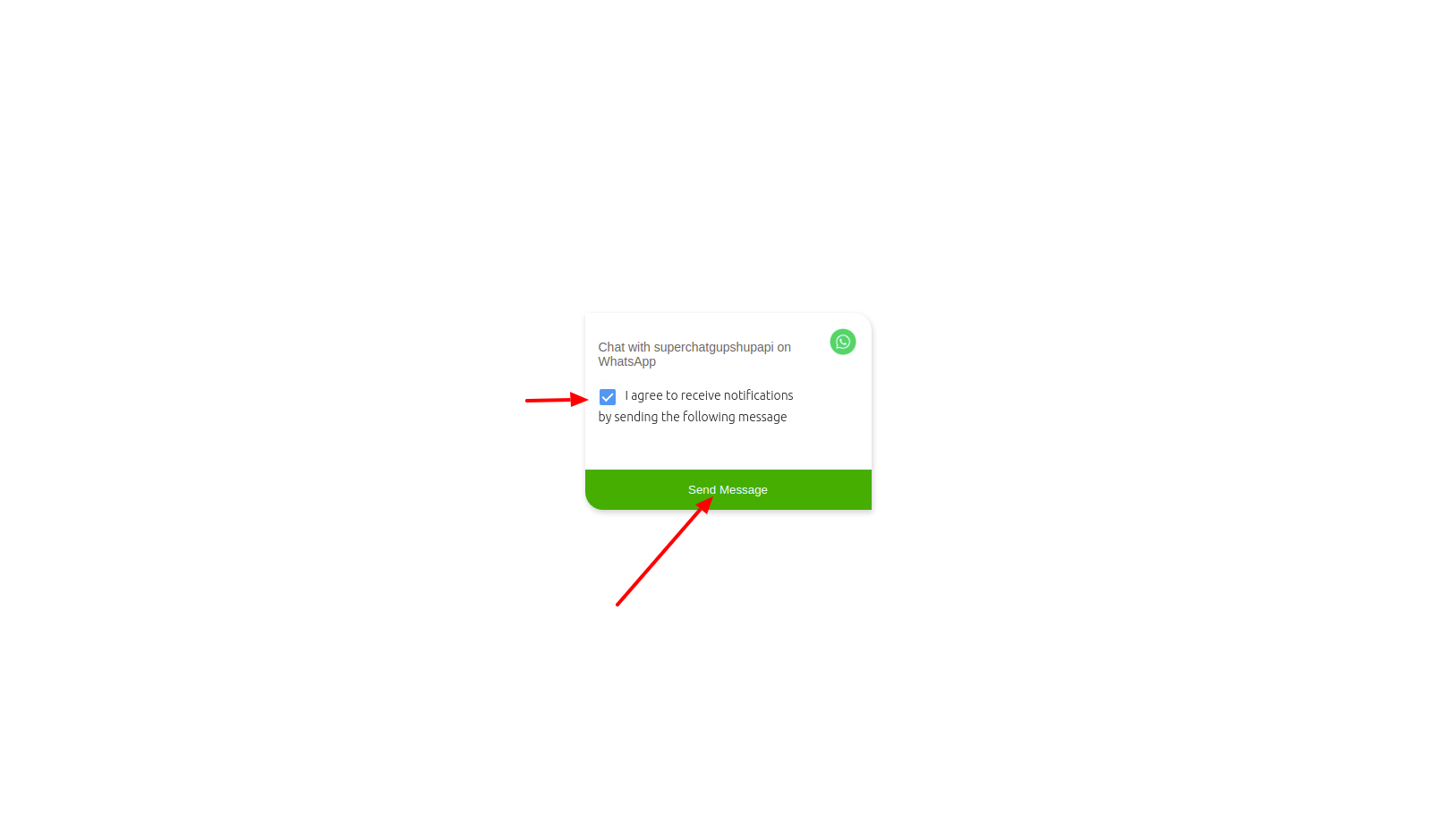
-
Send the optin message
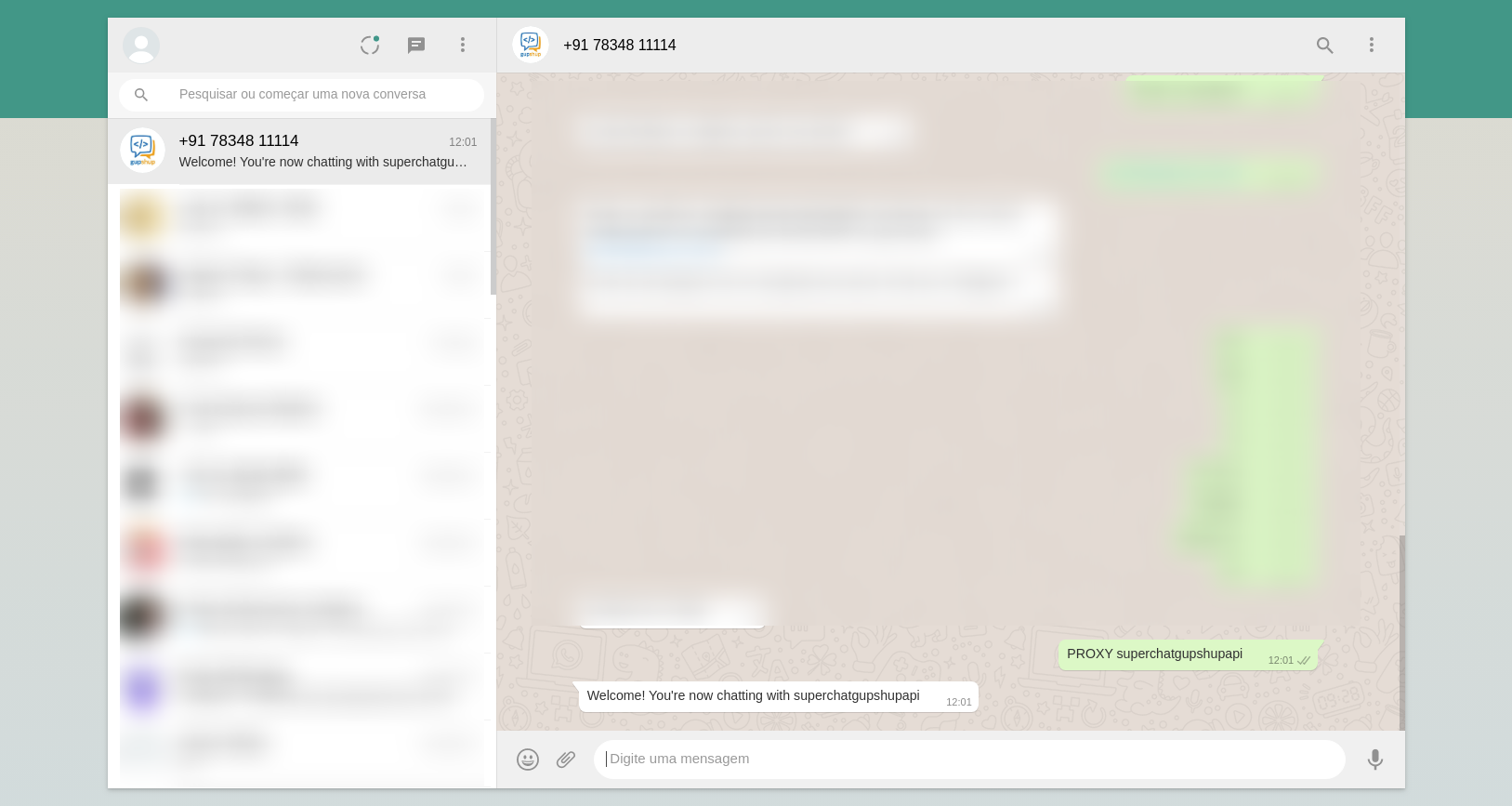
Info
The optin must be done only once
To test your configuration send a text message to the phone number registered in Gupshup. Answer the initial questions - they are automatic, made by the active plugins in your Superchat configuration. After answering the last question, Superchat will create a new conversation on Tiledesk and you will be able to answer there.
The first time someone starts a conversation with Superchat, the initial flow of it will be something like:
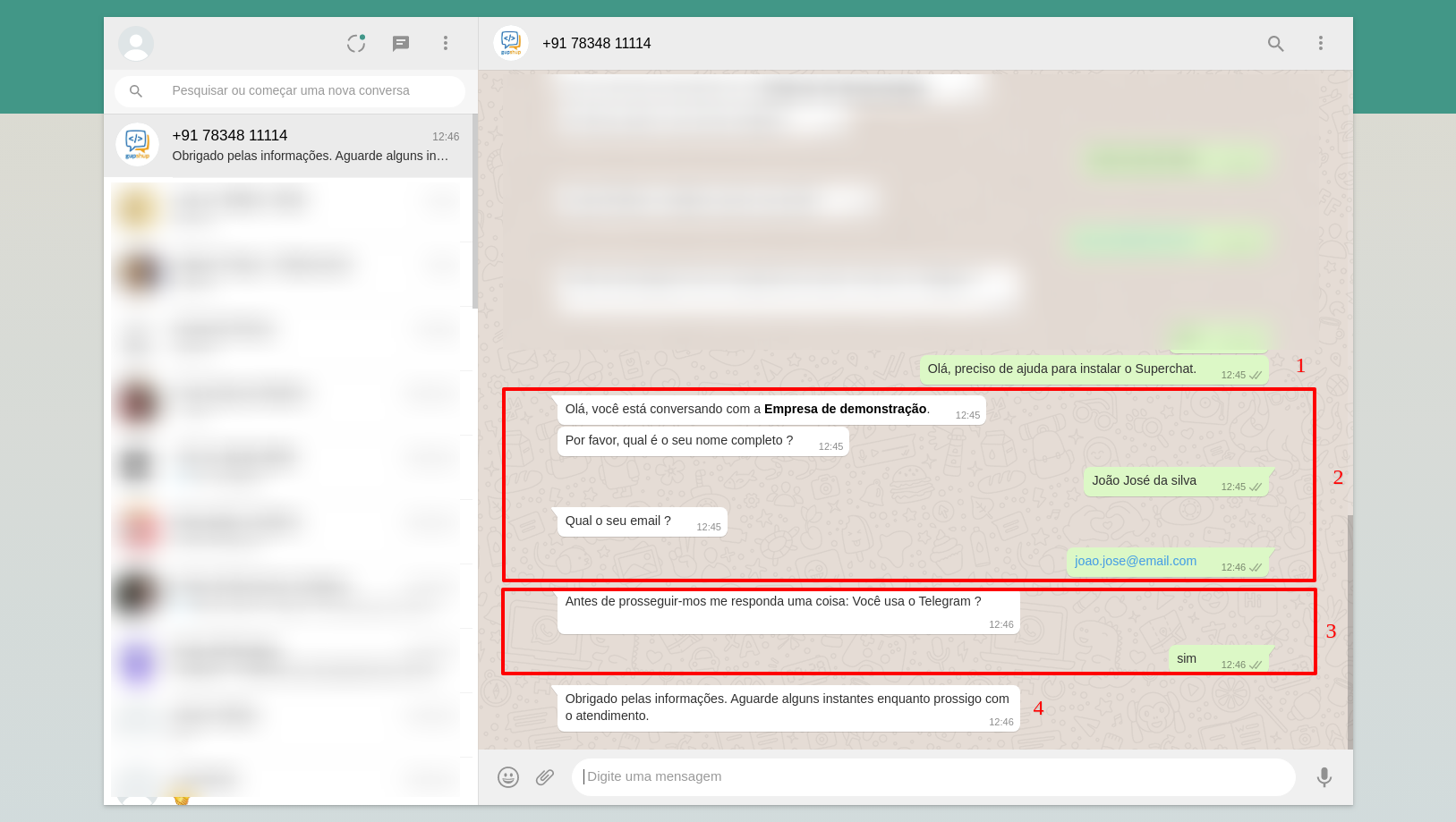
Where:
- Message sent by the customer.
- Questions asked by the contact plugin if it is the first time the phone number has contacted you.
- Question asked by the telegram plugin.
- The conversation is transferred to a human attendant.
Note
The contact and telegram plugins were written in Python, but they could be a bridge to Rasa or Dialogflow, for example.
Superchat's architecture allows for various types of combinations. For example:
- Use two Rasa servers trained for specific stages of a conversation, such as: Obtaining registration data and solving repetitive support problems.
- Query external data from a database or via API.
- Send authentication tokens via SMS, push, etc.
Now go to your Tiledesk account and answer the conversation:
-
Open chat page
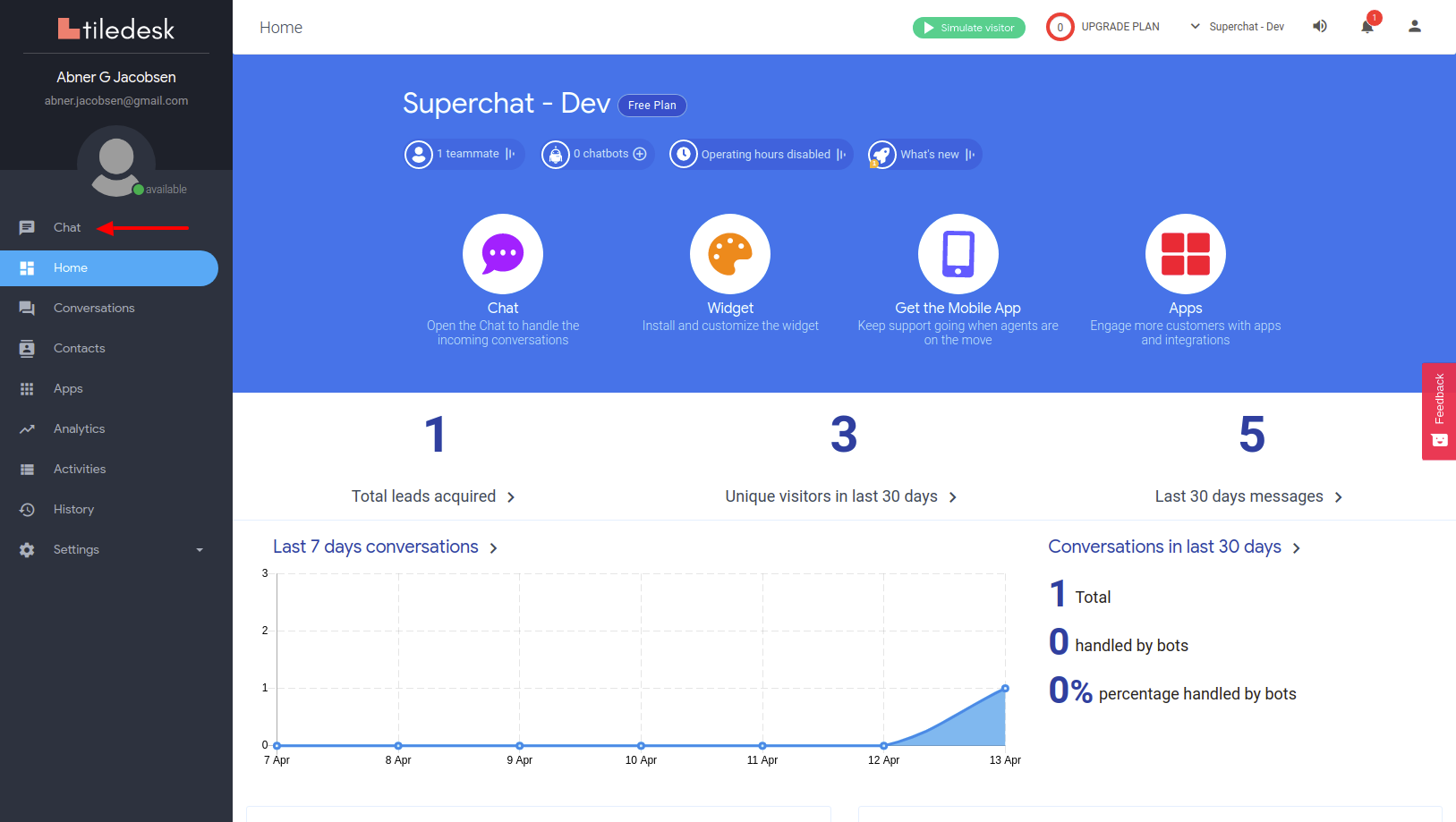
-
Chat messages
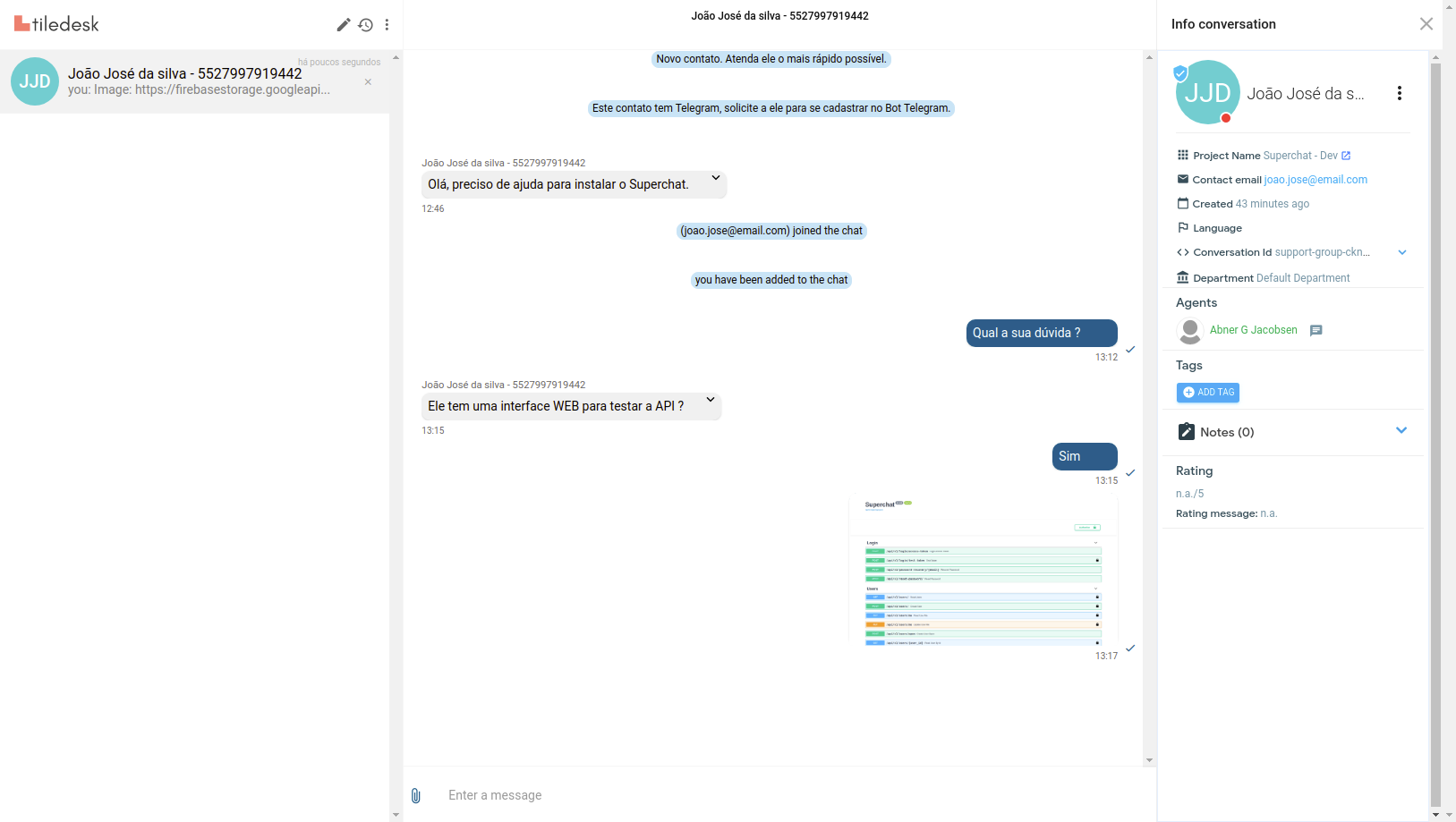
Media messages in sandbox mode
In sandbox mode Gupsup only allow media messages with approved ones